












Experienced Microsoft Business Central ERP Firm in Dallas, TX
Dallas, TX companies relying on manual processes, disconnected spreadsheets, and legacy tools are losing time and money every week. Microsoft Business Central ERP in Dallas, TX gives your team the Microsoft-backed tools to unify finance and operations, automate repetitive tasks, and turn raw data into actionable reports. Alphavima is a certified Microsoft Solutions Partner delivering Microsoft Business Central ERP projects for mid-market companies and enterprises across Canada, the United States, United Kingdom, Australia, and now the Middle East and Africa. With over 20 years of Microsoft platform experience, we configure Dynamics 365 Business Central finance, operations, and reporting around how your Dallas, TX team actually works.Measurable Impact for Dallas, TX Businesses
Join growing numbers of organizations operating on Microsoft Dynamics 365 Business Central.


Common Technology Challenges For Dallas, TX Businesses
Most Dallas, TX companies share the same set of technology gaps before they move to Microsoft Dynamics 365 Business Central.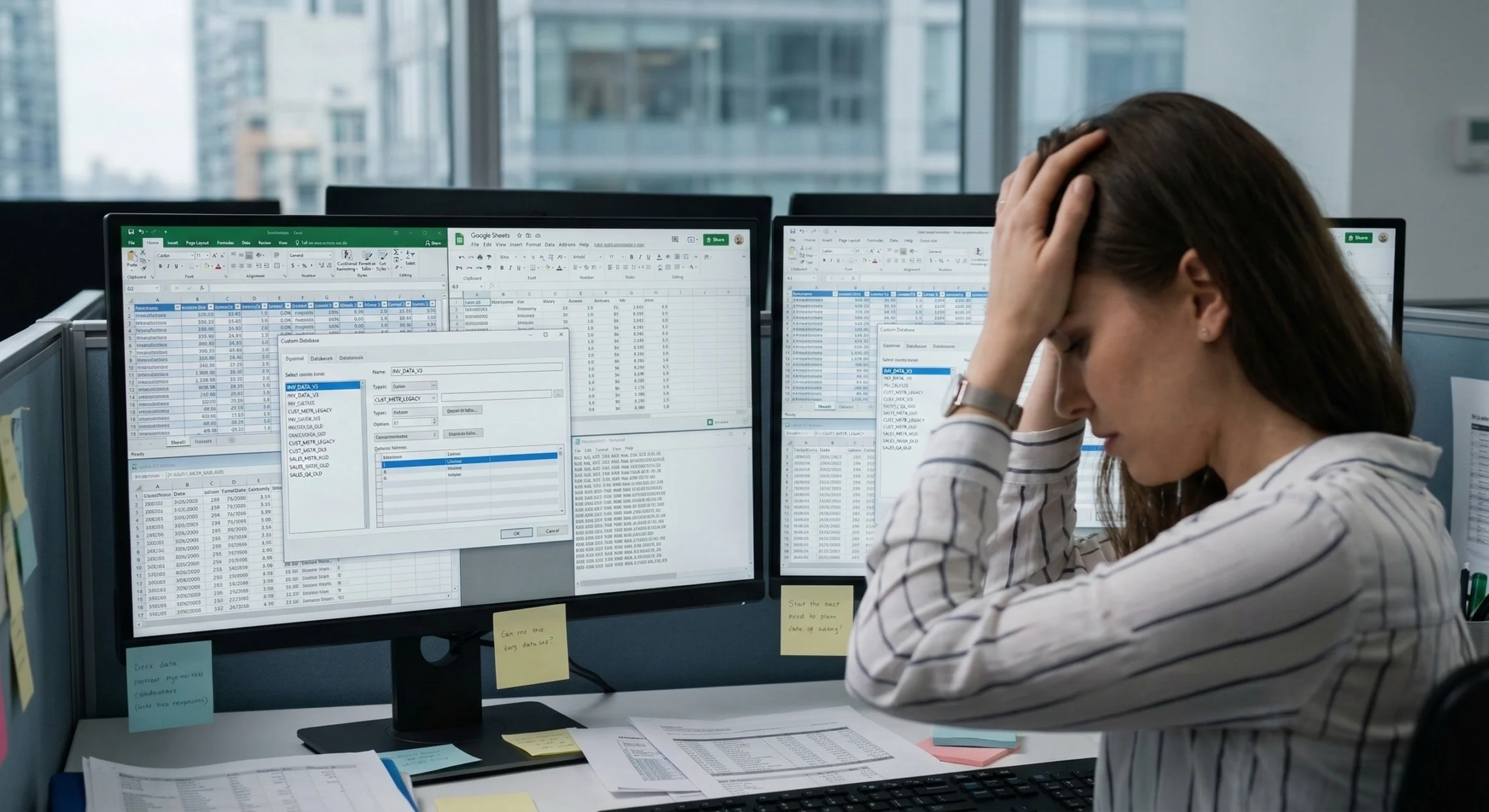
Fragmented Data Sources
Dallas, TX teams typically manage approvals in email, track inventory in spreadsheets, and store customer data in a separate CRM. Because these tools do not share data, staff spend more time managing tools than doing actual work. Business Central connects these systems through Microsoft Dataverse, giving your Dallas, TX team one source of truth.
Paper-Based Workflows
From purchase requests to leave approvals to compliance checklists, Dallas, TX organizations lose productive hours every day on processes that should be automated. Business Central automation handles these tasks in the background, with conditional logic, notifications, and audit trails built in.
No Real-Time Data
If your Dallas, TX team waits until month-end to see performance numbers, you are making decisions on stale data. Power BI connects to your live data sources and builds visual dashboards your team can access from any device.How Alphavima Works With Dallas, TX Businesses
Our Dallas, TX Microsoft Business Central ERP projects follow a structured four-stage process. First, we map your processes. Then we configure, test, and launch a Business Central environment that your Dallas, TX team can use from day one. Every project includes role-based training and post-launch support to make sure adoption sticks.
Comprehensive Business Central Solutions for Dallas, TX
Build apps, automate workflows, and get real-time reporting on one Microsoft platform, configured for Dallas, TX organizations of all sizes.
Finance and Accounting:
Manage accounts payable, receivable, bank reconciliation, and multi-currency finance from a single dashboard. Reduce manual reconciliation and give your Dallas, TX finance team real-time visibility.
Inventory and Warehouse
Track stock levels, manage purchase orders, and automate replenishment. Business Central gives Dallas, TX businesses real-time inventory visibility across multiple locations.
Manufacturing and Production
Plan production runs, manage BOMs, and monitor WIP from a single screen. Alphavima configures Business Central Premium for Dallas, TX businesses who need end-to-end production control.
Sales and Customer Management
Connect your sales pipeline to inventory and finance. Your Dallas, TX reps see real-time availability and margins – no more calling the warehouse.
Project Management
Track project budgets, time, and resources inside Business Central. Dallas, TX project-based businesses gain full visibility into costs, timelines, and revenue per engagement.
Microsoft Copilot and AI
Business Central includes Microsoft Copilot for predictive cash management, smart invoice matching, and AI-assisted reporting. Your Dallas, TX finance team saves hours every week on routine tasks.Why Dallas, TX Businesses Work With Alphavima for Microsoft Business Central ERP
Alphavima has been implementing Microsoft Business Central ERP solutions for Dallas, TX organizations for over two decades. We are not a one-size-fits-all vendor. We are a Microsoft Solutions Partner focused entirely on the Microsoft business applications stack, with a proven track record across the Dallas, TX market.
Two Decades of Delivery
20+ years of hands-on Microsoft project delivery, from Business Central to full ERP implementations.
Microsoft Certified
Microsoft Solutions Partner for Business Applications with Low Code Application Development specialization.
Industry Accelerators
Industry-specific accelerators for faster Business Central adoption.
International Reach
Serving clients across North America, Europe, Africa, the Middle East, and Asia-Pacific, with local expertise in Dallas, TX.Documented Results for Dallas, TX Businesses
35%
Average time saved on repetitive tasks after Dallas, TX organizations move manual processes to Business Central automation workflows.55%
Shorter project timelines for Dallas, TX businesses that use Alphavima’s pre-built components and templates.99%
Cloud reliability backed by Microsoft Azure infrastructure, keeping your Dallas, TX operations running around the clock.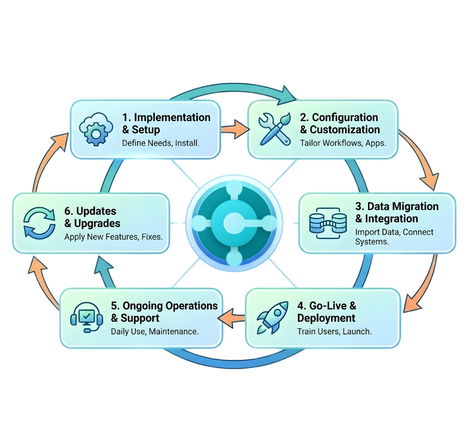
Documented Results for Dallas, TX Organizations
Moving Off Dynamics GP or NAV in Dallas, TX?
Microsoft has set firm end dates for its legacy ERPs. Dallas, TX organizations still on Dynamics GP or NAV should plan a move to Dynamics 365 Business Central now - while there is runway, partner availability, and budget certainty.
Dynamics GP (Great Plains)
- New license sales end April 1, 2026
- Support & tax/regulatory updates end September 30, 2029
- Security updates end April 30, 2031
Dynamics NAV (Navision)
- NAV 2018 mainstream support ended January 2023
- NAV 2018 security support ends January 11, 2028
- Earlier NAV versions are already unsupported
Business Central is Microsoft’s named successor to GP and NAV. Alphavima runs GP/NAV-to-Business Central migrations for Dallas, TX businesses - data migration, process re-mapping, and go-live with minimal downtime. Start in 2026-2027 for a smooth move; waiting until 2028-2029 means a rushed, costlier migration with fewer partners available.
Plan Your GP/NAV MigrationMicrosoft Business Central ERP Near Dallas, TX
Alphavima delivers Microsoft Dynamics 365 Business Central implementations, upgrades, migrations, and support for businesses across Canada, the United States, the UK, Australia, the Middle East, and India. Looking for a partner near Dallas, TX? We also serve businesses in the cities below.