











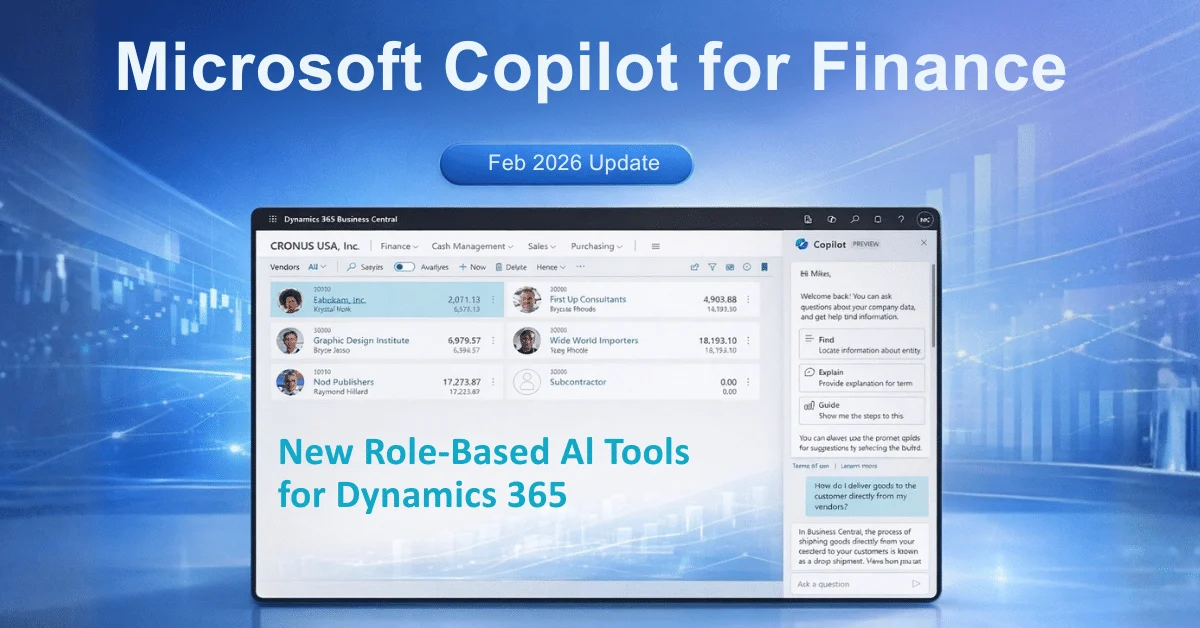
Microsoft recently expanded its AI portfolio by introducing Copilot for Finance. This tool addresses the specific needs of accounting and finance professionals. Unlike general AI, these features connect directly to your existing financial data. They help manage complex tasks within Microsoft Dynamics 365 and Excel.
Many finance teams spend too much time on manual data entry. This new AI assistant aims to change that reality. It handles repetitive chores so your team can focus on strategy. Organizations evaluating Microsoft Copilot implementation for Finance should assess integration readiness across ERP, reporting, and data platforms.
Talk to a Microsoft Copilot consultant
Book a quick call to talk through your Copilot project. No pressure, just practical advice. Or see our Copilot and AI services.
Why Role-Based AI Matters for Finance Teams
General AI tools often lack the context needed for specific business departments. Finance professionals require high accuracy and strict data security. Microsoft designed Copilot for Finance to meet these standards. Copilot delivers maximum value when aligned with structured ERP implementation frameworks.
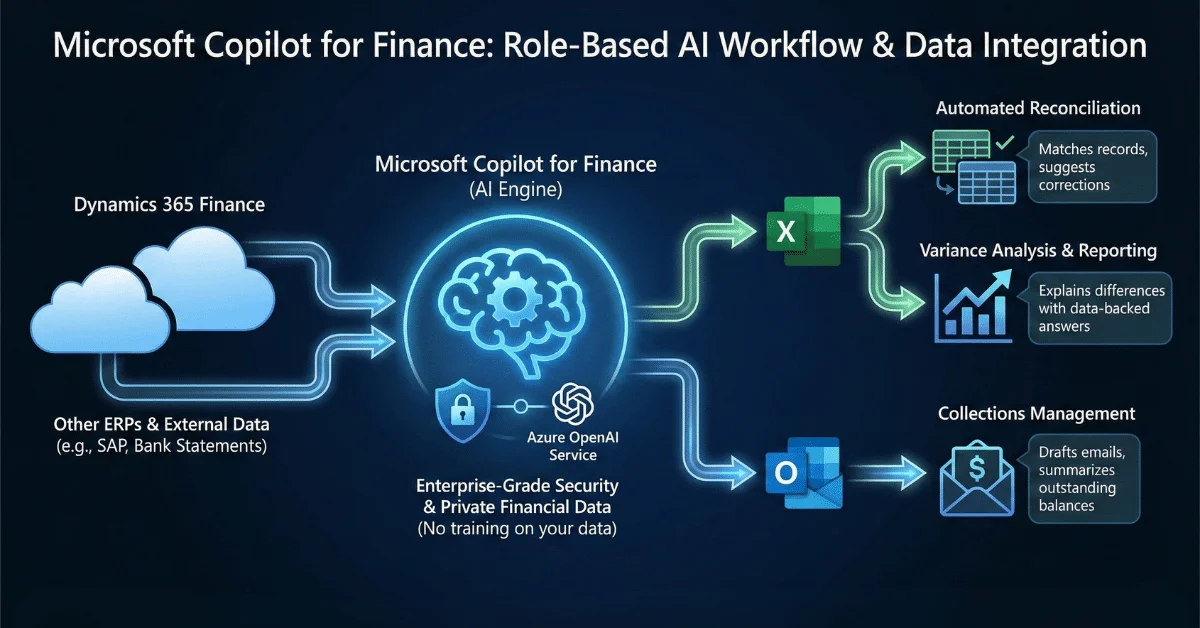
Specifically, the tool pulls information from ERP systems like Dynamics 365 and SAP. It then applies that data to everyday tasks in Outlook and Excel. This integration reduces the need to switch between different applications. Consequently, the risk of data entry errors decreases.
Core Capabilities of Copilot for Finance
The latest updates focus on several key areas of financial management. Here are the primary functions now available.
Automated Data Reconciliation
Matching financial records is a slow process. Copilot for Finance identifies discrepancies in data sets automatically. It compares internal records with bank statements or external reports. If it finds a mismatch, it suggests corrections. This helps your team close the books faster each month.
Collections Management in Outlook
Communication with late-paying customers is often difficult. Copilot assists by drafting professional emails based on real-time payment history. It provides a summary of outstanding balances directly within Outlook. Therefore, your staff can handle collections more effectively without digging through spreadsheets.
Reporting and Variance Analysis
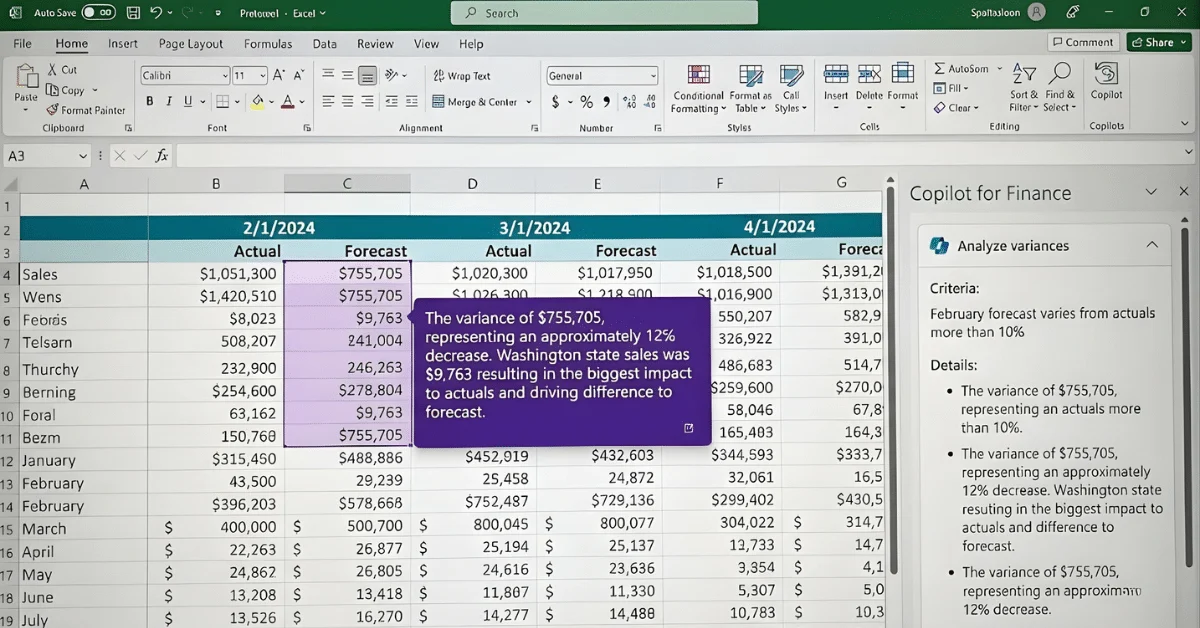
Creating financial reports usually requires pulling data from several sources. Copilot for Finance handles this collection process. It identifies trends and explains why actual spending differs from the budget. You can ask the AI to explain a variance, and it will provide a data-backed answer immediately.
Improving Accuracy with Azure OpenAI Integration
This technology relies on the latest updates from the Azure OpenAI Service. These updates provide the processing power needed for complex calculations. Because it uses enterprise-grade security, your financial data remains private.
Microsoft ensures that the AI does not train on your sensitive company information. This protection is vital for maintaining compliance with financial regulations. Organizations using Microsoft Fabric can centralize financial data and improve Copilot insights across reporting layers.
Implementation Steps for Finance Leaders
Adopting these tools requires a clear plan. First, ensure your data resides in a supported environment like Dynamics 365 Finance. Second, identify which manual processes take the most time.
Start with reconciliation tasks.
Move to automated reporting.
Use AI to assist with customer communications.
Assess ERP and finance workflow readiness
Define AI use cases for reporting and reconciliation
Align Copilot deployment with compliance standards
Train finance teams on AI-assisted workflows
By following these steps, your organization can see immediate results. The focus shifts from moving data to analyzing it.

Final Thoughts on AI-Driven Financial Tools
Beyond Finance: Expanding Your AI Strategy
While Copilot for Finance automates your accounting tasks, Microsoft’s AI ecosystem extends much further. For organizations looking to unify their data, Microsoft Fabric offers a robust solution. By integrating Copilot across your entire data estate, you can unlock deeper insights not just in finance, but across operations and sales.
Learn more about how these tools work together in our detailed guide on Copilot AI in Microsoft Fabric.
Additionally, if your team is focused on forecasting future trends, understanding the broader scope of data is crucial. Read our insights on Predictive Analytics in 2025 to see how AI models are evolving to improve your bottom line.
The arrival of Copilot for Finance marks a shift in how businesses handle money. It moves beyond simple automation to provide actual assistance. These role-focused tools help professionals stay organized and accurate.
Finance leaders adopting Microsoft Copilot should focus on integration, governance, and measurable ROI. AI tools deliver results only when aligned with ERP systems and data strategy. Alphavima supports organizations with Copilot implementation, ERP integration, and data architecture planning.
Who Should Consider Copilot for Finance?
Mid-sized enterprises
Manufacturing firms
Multi-entity organizations
Finance teams managing high transaction volume

Related case study
Manufacturing ERP on Business Central
A manufacturer put the shop floor, stockroom and finance on one Dynamics 365 Business Central ERP.
Read the case study · Next read: Microsoft 365 Copilot pricing guide
FAQs
What are the top Microsoft Copilot for Finance features introduced in 2026?
The latest Microsoft Copilot for Finance features focus on role-based automation. Key capabilities include automated data reconciliation in Excel, variance analysis in Dynamics 365, and AI-powered collections management directly in Outlook. Review the full Microsoft Copilot for Finance features overview in the official Microsoft documentation.
How does Copilot for Finance handle data reconciliation in Excel?
Copilot acts as an intelligent assistant within Excel to speed up reconciliation. It automatically compares internal financial records against external bank statements. If it finds discrepancies, the AI suggests corrections and explains the variance, allowing finance teams to close books faster.
Is Microsoft Copilot for Finance secure for sensitive banking data?
Yes, the tool is built on the Azure OpenAI Service, which provides enterprise-grade security. Microsoft ensures that the AI does not use your private financial data or tenant information to train its public models, keeping your organization compliant with financial regulations.
Can I use Copilot for Finance with ERPs other than Dynamics 365?
Yes, while it is natively designed for Microsoft Dynamics 365, Copilot for Finance also connects with other major ERP systems like SAP. This allows finance professionals to access and analyze data from their ERP directly within Microsoft Outlook and Excel without switching apps.
How does AI help with collections management in Outlook?
Copilot for Finance improves collections by providing a summary of outstanding balances directly in your email inbox. It can draft professional reminders to customers based on their real-time payment history, helping you communicate effectively and speed up payment recovery.
Does Microsoft Copilot for Finance integrate with Dynamics 365 ERP?
Yes. Microsoft Copilot for Finance integrates with Dynamics 365 ERP modules, enabling finance teams to automate reconciliation, reporting, and variance analysis across the Microsoft ecosystem. This makes it especially powerful when combined with a full Microsoft Dynamics 365 implementation. Learn how Alphavima helps businesses implement Microsoft Dynamics 365 for Finance integration.
Start Your Microsoft Copilot for Finance Assessment
Copilot readiness evaluation
ERP integration planning
Financial reporting automation roadmap