Alphavima Technologies

  • Industries
July 7th, 2026

How to Build a Microsoft Fabric Lakehouse with the Medallion Architecture

A Microsoft Fabric lakehouse gives you one place to store raw files and query clean tables, which removes the usual gap between a data lake and a warehouse. It stores data in OneLake, so you keep the flexibility of a lake while also working with warehouse-style SQL tables in a single item. For data and BI practitioners who already juggle several tools, that combination cuts down on copies, exports, and the glue code that holds them together.

In this guide, you will see how a lakehouse fits together, why the medallion architecture matters, and how to build one step by step. Along the way, we walk through a short PySpark example and point you to the official Microsoft Learn material so you can confirm current details as Fabric updates.

OneLake lakehouse showing the Files area and Tables area in a Microsoft Fabric lakehouse

What a Microsoft Fabric Lakehouse Actually Is

A lakehouse combines two areas inside one item. The Files area holds raw and unstructured files, much like any data lake. The Tables area holds structured tables that use the Delta format, which is what gives you warehouse-style SQL access. Because both live in OneLake, you avoid keeping separate copies for storage and for analytics.

The payoff shows up downstream. Data written by Spark becomes available instantly to the Fabric Warehouse through T-SQL, to Real-Time Intelligence through KQL, and to Power BI through Direct Lake — and none of those paths require copying the data. As a result, one well-modeled table can feed reporting, ad-hoc SQL, and real-time queries at the same time. If you want a wider view of where this sits, our overview of the future of data analytics with Microsoft Fabric sets the context.

Why the Medallion Architecture Fits a Lakehouse

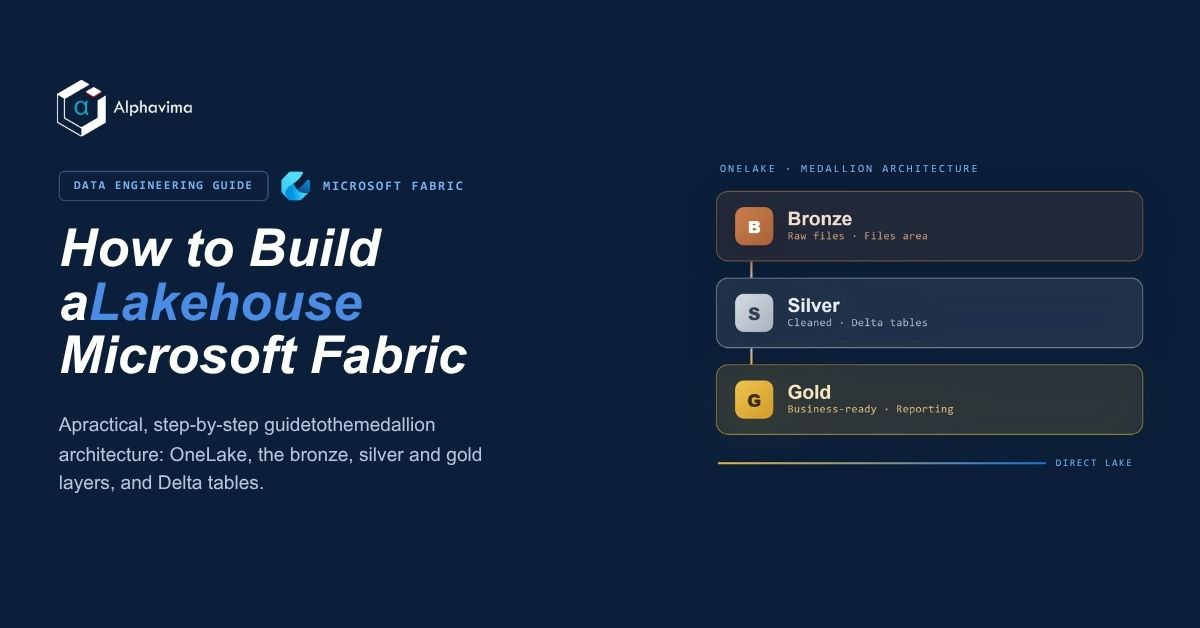
The medallion architecture organizes data into three layers so that each stage has a clear job. Raw data lands first, then it gets cleaned, and finally it gets shaped for business use. Keeping these stages separate makes pipelines easier to test, audit, and rerun, because you always know which layer holds trusted data.

In a Fabric lakehouse, bronze typically lives in the Files area as raw source files, while silver and gold become Delta tables in the Tables area. The table below summarizes what each layer holds. Microsoft’s own guidance on the OneLake medallion lakehouse architecture goes deeper if you want the reference design.

LayerPurposeFormatExample Contents
BronzeHold raw data exactly as the source delivers itSame format as the source (CSV, JSON, Parquet)Daily sales exports, raw event logs, unedited API dumps
SilverHold validated, cleaned, deduplicated dataDelta tablesConformed sales records with bad rows removed and keys standardized
GoldHold refined, business-ready data for reportingDelta tablesAggregated sales by region and month, ready for Power BI
Medallion architecture in Fabric flowing from bronze to silver to gold Delta tables

Build a Lakehouse in Fabric: Step by Step

The build follows a predictable order, and each step maps to one part of the medallion pattern. Follow these steps to go from an empty workspace to a reporting model.

  1. Create a workspace and a lakehouse. Inside a Fabric workspace, create a lakehouse item. This gives you the Files and Tables sections you will use throughout the rest of the build.
  2. Bring raw data into bronze. Land your source data in the Files area. You can upload files directly, run a pipeline or Data Factory copy activity, or create a OneLake shortcut that points at existing storage without moving it.
  3. Clean and reshape bronze into silver. Add a notebook and write Spark (PySpark) or Pandas code to read the raw files, remove duplicates, drop bad rows, and standardize columns. Write the result as silver Delta tables.
  4. Model silver into gold. Aggregate and join the silver tables into gold Delta tables that match how the business reports — for example, sales by region and month.
  5. Build a Power BI semantic model on gold. Point a semantic model at your gold tables using Direct Lake, so reports read straight from the Delta tables without an import refresh.
  6. Schedule a refresh. Set a pipeline or notebook to run on a cadence so bronze, silver, and gold stay current.

Adding the Notebook

To write code, add a Notebook to your lakehouse. Choose New notebook from the Open notebook menu, then attach it to the lakehouse so the Files and Tables sections appear in the explorer. From there, you can read and write data into either area.

Path handling is worth a quick note. When the data sits in the default lakehouse of your current notebook, a relative path such as Files/bronze/sales.csv works fine. When the data lives in a different lakehouse, use the absolute ABFS path instead so the notebook resolves it correctly.

A Short PySpark Example

This example reads a CSV from the bronze Files area, cleans it, and writes a silver Delta table. It is deliberately small so you can adapt the pattern to your own sources.

df = spark.read.format("csv").option("header", "true").load("Files/bronze/sales.csv")
df_clean = df.dropDuplicates().na.drop()
df_clean.write.format("delta").mode("overwrite").saveAsTable("silver_sales")

The dropDuplicates() call removes repeated rows, and na.drop() removes rows with missing values. Writing in Delta format with saveAsTable registers the table so SQL, KQL, and Power BI can read it right away. For more loading patterns, the Microsoft Learn guide on loading data into a lakehouse with notebooks is a useful companion.

Related reading: Microsoft Fabric Pricing in 2026: Capacity Units, SKUs, and Real Costs

Connecting the Lakehouse to the Rest of Fabric

Once gold tables exist, the same data serves several tools without extra copies. A Power BI semantic model reads the gold layer through Direct Lake, which means reports stay close to live without a heavy import step. Meanwhile, analysts can run T-SQL against the Warehouse over the very same tables, and KQL queries through Real-Time Intelligence reach the data too.

That single-copy model also matters for source systems. If your operational data starts in Dynamics 365, our walkthrough of Business Central and Microsoft Fabric integration shows how to feed those records into the lakehouse. And when low-latency signals matter, the notes on Fabric Real-Time Intelligence explain how streaming data joins the picture.

Common Mistakes to Avoid

A few habits cause most of the early trouble. First, teams sometimes clean data directly in bronze, which breaks the audit trail; keep bronze raw and do the cleaning on the way to silver. Second, skipping deduplication in silver tends to inflate gold aggregates later. Third, importing data into Power BI by hand undercuts Direct Lake, so model on gold and let Direct Lake do the reading. Because Fabric updates often, confirm current behavior in Microsoft’s build a lakehouse tutorial before you lock a design.

Building a Microsoft Fabric lakehouse?

Alphavima designs the medallion layers, pipelines, and governance so your data platform scales.

Conclusion

A Microsoft Fabric lakehouse pairs a flexible data lake with structured Delta tables in one place, and the medallion architecture keeps each stage clean, testable, and ready for reporting. Build it in order: land raw data in bronze, clean it into silver, model gold, then point Power BI at gold with Direct Lake. Because Fabric changes often, treat Microsoft Learn as your source of truth for current specifics.

If you would rather have a partner handle the lakehouse design, medallion modeling, and Power BI setup, Alphavima’s data engineering services team can plan and build it with you. Reach out to talk through your data sources and reporting goals.

FAQs

What is a Microsoft Fabric lakehouse?

A Microsoft Fabric lakehouse is a single item that stores data in OneLake and combines a Files area for raw or unstructured files with a Tables area that uses the Delta format. As a result, you get the flexibility of a data lake plus warehouse-style SQL tables without keeping two separate copies.

How does the medallion architecture in Fabric work?

The medallion architecture uses three layers. Bronze holds raw data in the source format, silver holds validated and deduplicated data as Delta tables, and gold holds refined, business-ready Delta tables for reporting. Each layer has one clear job, which makes pipelines easier to test and rerun.

Do I need to copy data for Power BI, SQL, and KQL?

No. Data written by Spark becomes available instantly to the Fabric Warehouse through T-SQL, to Real-Time Intelligence through KQL, and to Power BI through Direct Lake, all without copying the data. One gold table can feed all three paths at once.

When should I use a relative path versus an ABFS path?

Use a relative path when the data sits in the default lakehouse of your current notebook. Use an absolute ABFS path when the data lives in a different lakehouse, so the notebook resolves the location correctly.

Can I bring data in without moving it?

Yes. Besides uploading files or running a pipeline copy, you can create a OneLake shortcut that points at existing storage. The shortcut references the source in place, so the lakehouse reads it without a physical move.

What language do I write in the notebook?

You can write Spark using PySpark, or you can use Pandas, depending on the task. PySpark suits larger datasets and Delta writes, while Pandas can be handy for smaller, in-memory work inside the same notebook.

How often should the lakehouse refresh?

That depends on how fresh your reports need to be. You schedule a pipeline or notebook to run on a cadence — hourly, daily, or another interval — so the bronze, silver, and gold layers stay current for downstream models.

    Get in Touch