











If you run sales, service or field teams on Microsoft’s CRM apps, the hardest part is rarely the software. It is working out who needs which licence, what “base” and “attach” actually mean, and why two people doing similar jobs can cost very different amounts each month.
Dynamics 365 Customer Engagement licensing rewards planning and punishes guesswork.
This guide is written for the person who signs off the order form: an operations lead, a CRM owner, or an IT buyer. It covers the Customer Engagement (CE) apps only, that is Sales, Customer Service, Field Service and Customer Insights, and skips the Finance and Operations side.
You will get verified 2026 per-user prices, base plus attach explained, the Team Members limits, Dataverse storage, what Copilot includes, and a worked example.
Key takeaway / What you’ll learn: In CE licensing you pay full price for each person’s most valuable app (the base licence), add any other apps they need at a discounted attach price, and use the cheap Team Members licence only for light, read-first roles.
Get those three decisions right and the monthly bill usually looks after itself.
Table of contents
Talk to a Dynamics 365 CRM consultant
Book a quick call to talk through your Dynamics 365 CRM project. No pressure, just practical advice. Or see our Dynamics 365 CRM services.
What “Customer Engagement” means for licensing
Customer Engagement is Microsoft’s grouping for the front-office CRM apps that share the same Dataverse foundation. In 2026 the CE family you licence per user is:
- Sales (Professional, Enterprise, Premium)
- Customer Service (Professional, Enterprise, Premium) and the related Contact Center
- Field Service (plus a lower-cost Contractor licence)
- Customer Insights (the marketing and customer data platform, licensed per tenant rather than per user)
Every one of these runs on the same underlying platform, which is why a single user can hold more than one app and why the base plus attach model exists. If you want a partner-led view of how these apps fit a wider CRM programme, Alphavima’s Dynamics 365 CRM solutions practice works with exactly this stack day to day.
The CE price list at a glance (2026)
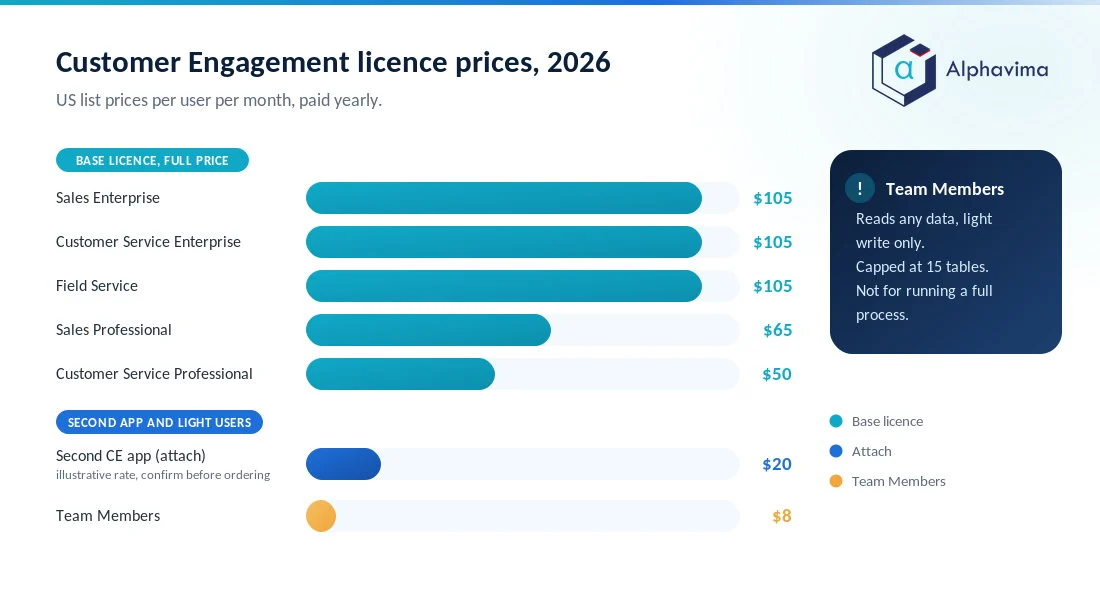
The table below shows the current published Microsoft list prices in US dollars, per user per month, paid yearly, unless marked otherwise. Prices vary by region and currency, so always confirm against the live Microsoft pricing pages before you order.
| App / licence | List price (USD) | Billing basis | Copilot position |
|---|---|---|---|
| Sales Professional | $65 | per user/month | No Copilot capabilities included |
| Sales Enterprise | $105 | per user/month | Copilot for sellers included (summaries, email and meeting help) |
| Sales Premium | $150 | per user/month | Everything in Enterprise plus 1,000 Copilot Credits and sales AI |
| Customer Service Professional | $50 | per user/month | Copilot in Customer Service not included; agents need Copilot Credits |
| Customer Service Enterprise | $105 | per user/month | Copilot in Customer Service included; the newer agents need Copilot Credits |
| Customer Service Premium | $195 | per user/month | Included capacity for the case, knowledge, intent and quality agents |
| Dynamics 365 Contact Center | $110 | per user/month | Voice, IVR and messaging channels with AI routing |
| Field Service | $105 | per user/month | Copilot in Field Service included; agents need Copilot Credits |
| Field Service Contractor | $50 | per user/month | For external frontline technicians |
| Customer Insights | $1,700 | per tenant/month | Marketing (Journeys) and customer data platform (Data) combined |
| Customer Insights (attach) | $1,000 | per tenant/month | Requires a qualifying Dynamics 365 app |
| Team Members | $8 | per user/month | Light, read-first access only |
Two notes before you plan around these figures. First, Microsoft ran a limited-time 40% discount on the Customer Service Premium and Contact Center plans for enterprise and CSP purchases between 1 October 2025 and 30 June 2026. That offer closed on 30 June 2026, so budget on the full list price and ask your partner whether a replacement offer is running.
Second, the Team Members price ($8) is not shown on the app pricing pages. It is drawn from the licensing model and from partner price guides, so treat it as indicative and confirm it at order time.
If you also run Finance and Operations or Business Central, our wider Dynamics 365 licensing guide covers the tiers this article deliberately leaves out.
How base and attach licensing works within CE
This is the single idea that decides your bill, so it is worth slowing down on.
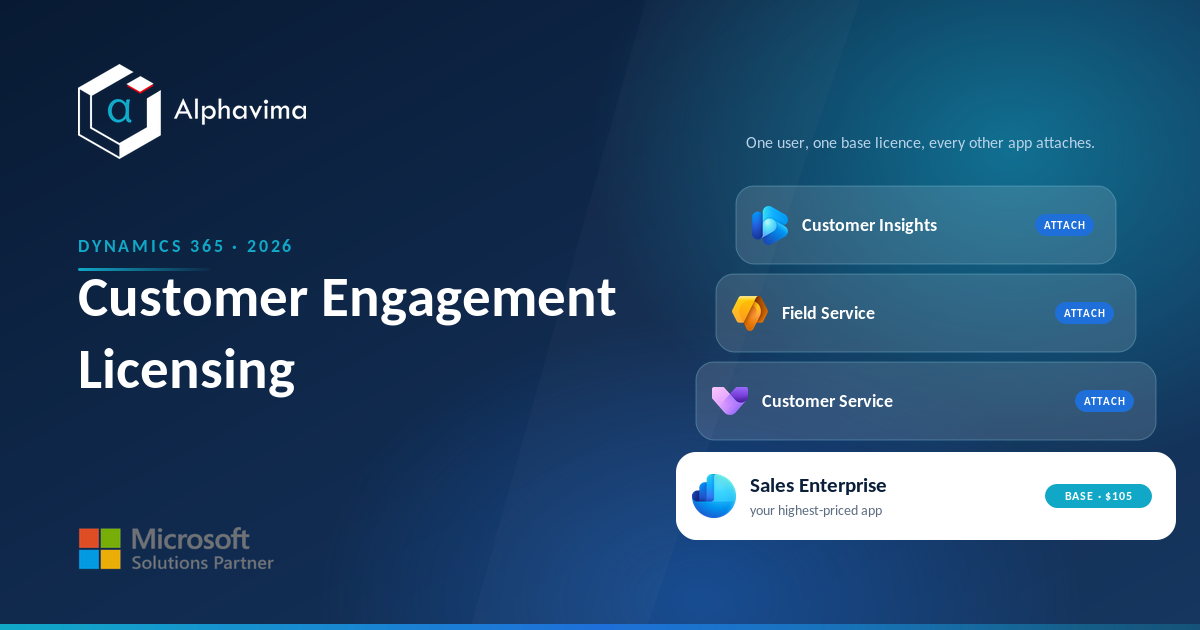
When a user needs one CE app, you buy that app at its full list price. That is the base licence. When the same user needs a second (or third) CE app, you do not pay full price again.
Instead you buy the extra app as an attach licence at a heavily discounted rate, on the condition that the user already holds a qualifying base licence.
The rule is simple: assign the user’s most expensive app as the base, then attach everything else. A seller who also handles service cases should carry Sales Enterprise as the base and Customer Service Enterprise as the attach, not the other way around, because you want the cheaper of the two priced at the attach rate.
Attach licences for the CE Enterprise apps are typically in the region of $20 to $30 per user per month depending on the app, but Microsoft does not publish these on the main app pages, so confirm the current attach figure before you commit.
Independent partner walkthroughs of the base and attach model set out the same rule if you want a second opinion before the order form.
Attach only makes sense when one person genuinely uses two apps. If a seller never touches service records, they do not need a Customer Service attach at all. The mistake we see most often is buying attach licences “just in case”, which quietly doubles the cost of a role that only ever needed one app.
The Team Members licence and its limits
Team Members is the tempting one, because at $8 per user it is a fraction of a full licence. It exists for people who consume CRM data and make light updates but do not run a sales or service process end to end: a warehouse supervisor updating a record, a manager reviewing dashboards, an employee logging a simple request.
The limits are real and enforced. Per Microsoft’s Team Members licence guidance, a Team Member:
- can read any Dynamics 365 data without restriction;
- has only light write rights defined in the licensing guide, not full create, update and delete across the app;
- must work inside a designated Team Member app (Sales Team Member, Customer Service Team Member or Project Resource Hub), which is capped at 15 tables (entities);
- cannot run the full sales or service functionality that a paid Sales or Customer Service user gets.
Note: The 15-table limit applies to how the Team Member app is built, not to what a user can view through lookups, subgrids or dashboards. But the moment a “Team Member” needs to own the case queue, run the sales pipeline or use a custom line-of-business app, they need a full licence.
Trying to stretch Team Members past its rights is the fastest way to fail a licensing review.
Dataverse storage: what the apps include
Every CE app stores its data in Microsoft Dataverse, and storage is licensed as a shared, tenant-level pool rather than per user. As of the December 2025 capacity update, a tenant with a qualifying Dynamics 365 CRM app (Sales, Customer Service, Field Service or Contact Center) receives a default entitlement of 30 GB of Dataverse database capacity, with additional file capacity on top.
Customer Insights raises that default further.
Beyond the default, qualifying paid user licences accrue extra capacity into the shared pool, while Team Members licences do not add any per-user storage. When the pool runs out you buy add-on capacity packs.
Database capacity is the expensive tier, so archiving old records and keeping large attachments in file storage (or in SharePoint) is a normal part of controlling cost. Microsoft’s Dataverse capacity documentation sets out how the pool and accruals are calculated, and if you are also building custom Power Apps on the same tenant, Alphavima’s Power Platform services team can help you model the combined storage draw.
What Copilot actually includes
Copilot inclusion is now a real differentiator between tiers, so read the small print rather than assuming “AI is included”.
- Sales Enterprise includes Copilot for sellers: record summaries, email and meeting assistance, opportunity summaries and access to prebuilt sales agents.
- Sales Premium adds 1,000 Copilot Credits per user per month plus the predictive sales insights and data enrichment features.
- Customer Service Professional and Enterprise do not include the newer Copilot agents by default; those (case management, knowledge management, customer intent and quality evaluation) draw on Copilot Credits bought separately.
- Customer Service Premium includes capacity for those four agents, which is much of why it sits at $195.
If AI in service is central to your plan, price the Copilot Credits or the Premium tier into the business case from the start rather than hitting the gap later. For a broader view of how the two big CRM vendors compare on built-in AI, see our Dynamics 365 vs Salesforce comparison, and for help sizing Copilot itself, Alphavima’s Microsoft Copilot and AI practice focuses on this.
Buying Enterprise where Professional would do?
Send us your current CE user list or renewal quote and we will mark up who needs a base licence, who only needs an attach, and who belongs on Team Members. You see the corrected monthly figure before you place the order.
A worked example: a mixed sales and service team
Numbers make this concrete. Take a 20-person team that runs both sales and service on Dynamics 365:
- 8 field sellers who need full Sales functionality
- 5 service agents handling cases and knowledge
- 2 field technicians doing on-site work
- 3 team leads who both sell and manage service escalations, so they genuinely use two apps
- 2 sales managers who only review dashboards and reports and make the occasional light update
Here is a sensible licence assignment using base plus attach, with attach shown at an illustrative $20 (confirm the current attach rate before ordering):
| Role | Count | Licence choice | Monthly cost |
|---|---|---|---|
| Field sellers | 8 | Sales Enterprise base ($105) | $840 |
| Service agents | 5 | Customer Service Enterprise base ($105) | $525 |
| Field technicians | 2 | Field Service base ($105) | $210 |
| Team leads (dual role) | 3 | Sales Enterprise base ($105) + Customer Service Enterprise attach ($20) | $375 |
| Sales managers (view only) | 2 | Team Members ($8) | $16 |
| Total | 20 | $1,966 / month |
That is roughly $23,600 a year. Now look at the two decisions that moved the needle. The three dual-role leads cost $375 with attach; if you had bought them two full base licences instead, the same three people would cost $630, so attach saved $255 a month on three users alone.
And the two view-only managers on Team Members cost $16; on full Sales Enterprise they would have cost $210. Get those two calls wrong across a larger team and the difference runs into five figures a year.
Tip: Review licence assignments every quarter. Roles drift, people change teams, and “temporary” full licences have a habit of becoming permanent. A short quarterly audit almost always finds a few licences to downgrade or drop.
Common licensing mistakes to avoid
- Buying attach for people who use one app. Attach is only cheaper if the user actually needs the second app.
- Over-using Team Members. If a “Team Member” runs a real process or needs a custom app, they are under-licensed and will fail a review.
- Ignoring Copilot Credits. Service AI agents are not free on Professional and Enterprise; budget the Credits or step up to Premium.
- Forgetting Dataverse growth. Storage is shared and cumulative; large teams and heavy attachments erode the default pool faster than expected.
- Mixing up base and attach. Always base the higher-priced app and attach the cheaper one.
For most CE buyers the plan writes itself once you separate three groups: full users who each get one base app, dual-app users who get a base plus an attach, and light users on Team Members.
Customer Insights sits apart as a per-tenant line item. Verify every figure on the official Microsoft Sales pricing and Customer Service pricing pages before you order, because tiers and promotions change through the year.
Conclusion
Dynamics 365 Customer Engagement licensing looks complicated because it is flexible, but the flexibility is the point. Once you sort your users into full base users, dual-app users on base plus attach, and light users on Team Members, the monthly cost becomes predictable and the app you deploy actually matches what each person does.
The two decisions that matter most are which app you set as the base and where you draw the line at Team Members. Get those right, budget Copilot and Dataverse growth into the plan, and re-check the assignments each quarter as roles change.
Ready to move forward? If you would like a second set of eyes on your CE licence mix or a full CRM plan, talk to the Alphavima team through our Dynamics 365 CRM solutions service and we will help you right-size it before you order.

Related case study
PWSC Unifies Sales, Warranty & Claims on Dynamics 365
PWSC brought sales, warranty and claims onto one Dynamics 365 CRM, with self-serve portals for builders and homeowners.
Read the case study · Next read: Dynamics 365 licensing guide
Frequently asked questions
What is the difference between base and attach licensing in Dynamics 365 Customer Engagement?
A base licence is the full-price licence for a user’s most valuable app. An attach licence lets that same user add another qualifying CE app at a much lower rate. You must hold a qualifying base licence to buy an attach, so you always assign the most expensive app as the base.
How much does Dynamics 365 Sales cost in 2026?
Microsoft’s 2026 list prices are $65 per user/month for Sales Professional, $105 for Sales Enterprise and $150 for Sales Premium, each paid yearly. Enterprise includes Copilot for sellers, and Premium adds 1,000 Copilot Credits plus predictive sales insights. Confirm current figures on the Microsoft Sales pricing page.
What is the difference between Customer Service Professional and Enterprise?
Professional ($50 per user/month) covers core case and knowledge management for simpler service operations. Enterprise ($105) adds entitlements, SLAs, more advanced routing and broader customisation, and Premium ($195) bundles in included capacity for the Copilot service agents. Choose Enterprise or Premium when you need omnichannel depth or built-in AI agents.
How much is the Dynamics 365 Team Members licence and what can it do?
Team Members is around $8 per user/month and is meant for light, read-first users. Team Members can read all Dynamics 365 data and make limited updates, but they work inside a capped app (up to 15 tables) and cannot run full sales or service processes. Anyone owning a real workflow needs a full licence.
Do I need a separate licence for Field Service?
Yes. Field Service is $105 per user/month for full technicians and dispatchers, with a lower-cost Field Service Contractor licence at $50 for external frontline workers. A user who also sells or handles cases can hold Field Service as a base or as an attach depending on which app is their most valuable one.
How is Dynamics 365 Customer Insights licensed?
Customer Insights is licensed per tenant, not per user, at $1,700 per tenant/month for the standalone licence or $1,000 per tenant/month as an attach when you already own a qualifying Dynamics 365 app. The licence combines the marketing (Journeys) and customer data platform (Data) capabilities and includes a starting allocation of unified and interacted people, with add-on packs for more.
Is Copilot included in Customer Engagement licences?
It depends on the app and tier. Sales Enterprise and Premium include Copilot for sellers, but the newer Customer Service Copilot agents are sold separately as Copilot Credits on Professional and Enterprise, and are only included on Customer Service Premium. Always check whether the AI you want is bundled or an add-on.
How much Dataverse storage comes with Customer Engagement?
A tenant with a qualifying CRM app gets a default of 30 GB of Dataverse database capacity as of the December 2025 update, plus file capacity, shared across the tenant. Paid user licences accrue extra capacity, Team Members add none, and you buy add-on packs when the shared pool runs out.