








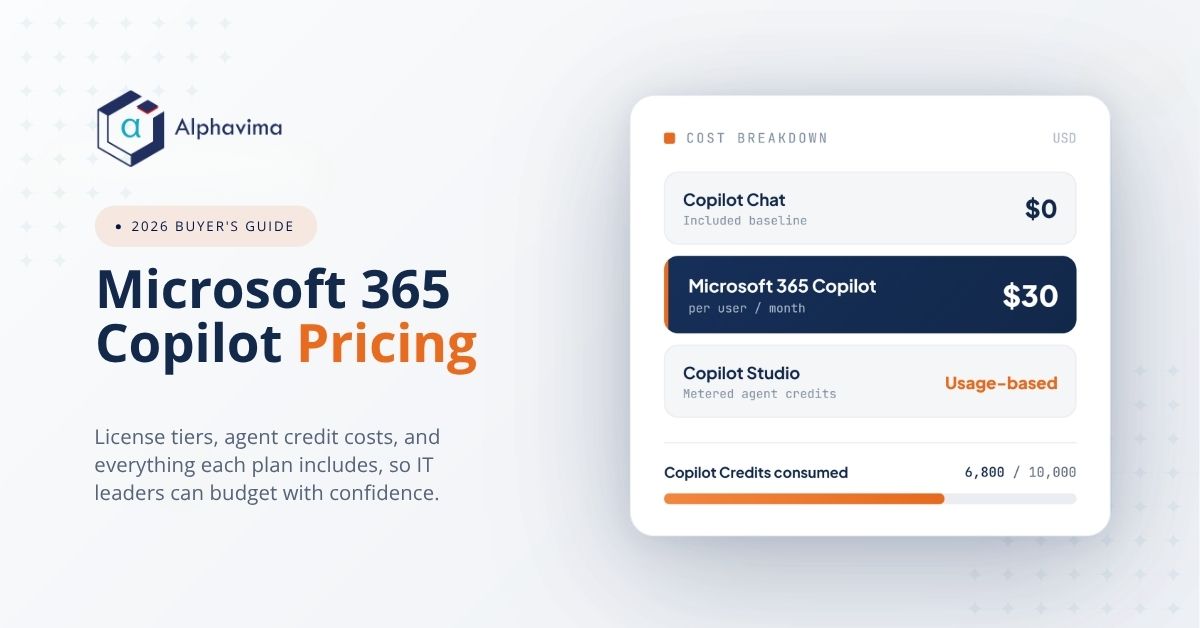
Microsoft 365 Copilot pricing looks simple at first glance, but the real cost depends on licensing, base plans, and how much work your agents do. This guide breaks down each piece so you can budget without surprises.
Most buyers ask three questions. What does the per-user license cost? What is bundled for free? And how do agent and credit charges add up over time? We answer all three below, with current 2026 figures and the trade-offs that matter.

The short answer on Microsoft 365 Copilot pricing
The headline number is straightforward. Microsoft 365 Copilot costs $30 per user per month on an annual commitment, as of 2026. However, that price is an add-on, not a standalone product.
In other words, you also need a qualifying Microsoft 365 base plan. A separate qualifying license is required before the add-on can be applied. So your true Microsoft 365 Copilot cost is the base license plus the $30 add-on per user.
Small businesses get a temporary break. Through June 30, 2026, the small-business add-on runs at $18 per user per month on an annual plan, down from the usual $21. After that promo ends, expect the standard $21 rate to return unless Microsoft updates it again.
Because pricing shifts periodically, always confirm current figures with Microsoft or a partner before you sign. We cover where to verify near the end of this guide.
What you get for free versus the paid add-on
Not every Copilot feature carries a charge. Many Microsoft 365 users already get Microsoft 365 Copilot Chat at no extra per-user cost. This is web-grounded chat, useful for drafting, research, and quick answers inside a secured experience.
The paid $30 add-on goes further. It adds Copilot directly inside the Office apps, plus the ability to build and run agents. Specifically, the paid tier brings Copilot into:
- Word, for drafting and rewriting
- Excel, for analysis and formula help
- PowerPoint, for slide creation
- Outlook, for email summaries and replies
- Teams, for meeting recaps and chat assistance
That split matters for budgeting. If your team mainly needs chat, the free tier may cover early use. But if people want Copilot working alongside their documents and spreadsheets, the add-on is the path. For a deeper look at app-level features, see our piece on Microsoft Copilot for Finance.
Microsoft 365 Copilot plan and price summary
The table below sums up the main Copilot pricing plans as of 2026. Use it as a quick reference, then validate the exact numbers for your tenant size.
| Plan / Option | Price (USD, as of 2026) | Commitment | Notes |
|---|---|---|---|
| Microsoft 365 Copilot add-on | $30 per user / month | Annual | Add-on to a qualifying Microsoft 365 base plan |
| Small-business add-on (promo) | $18 per user / month | Annual | Through June 30, 2026; normally $21 |
| Microsoft 365 Copilot Chat | $0 per user / month | Included | Web-grounded chat for many M365 users |
For the official source, review the Microsoft 365 Copilot pricing page. It reflects any mid-year changes faster than third-party summaries.
Copilot Studio agent pricing and credit costs
Per-user licenses cover Copilot for people. Agents are a separate cost model. When you build agents in Copilot Studio, billing runs on consumption rather than a flat seat fee.
You have two ways to pay. First, pay-as-you-go bills at $0.01 per Copilot Credit. Second, prepaid packs bundle 25,000 Copilot Credits for $200 per pack per month. Both approaches measure usage, so cost tracks actual activity.
So what is a Copilot Credit? It measures the work an agent does to retrieve information, respond, and take actions. As a result, simpler tasks consume fewer credits, while complex multi-step tasks consume more. That makes light agents cheap and heavy automation pricier.
One technical requirement is worth flagging early. To run agents on pay-as-you-go billing, you need an Azure subscription. Copilot Studio itself is available as a pay-as-you-go meter with no up-front license commitment, which lowers the barrier to a first pilot.

PAYG versus prepaid packs
The two billing modes suit different patterns. Pay-as-you-go fits early experiments and unpredictable volume. Prepaid packs fit steady, higher-volume agents where committing ahead lowers admin overhead.
The table below compares both options for Copilot Studio agent pricing.
| Billing Mode | Cost (USD, as of 2026) | Best For | Requirement |
|---|---|---|---|
| Pay-as-you-go (PAYG) | $0.01 per Copilot Credit | Pilots and variable usage | Azure subscription |
| Prepaid pack | $200 per pack / month (25,000 credits) | Steady, higher-volume agents | Purchased per month |
For the official billing rules, check the Copilot Studio billing and licensing docs. You can also review the Copilot Studio pricing page for the latest credit details.

Chat versus paid Copilot: what each tier includes
Buyers often blur the free Chat tier with the paid add-on. The table below clears that up so you can match spend to need.
| Capability | Copilot Chat (free) | Paid Copilot add-on ($30) |
|---|---|---|
| Web-grounded chat | Yes | Yes |
| Copilot in Word, Excel, PowerPoint | No | Yes |
| Copilot in Outlook and Teams | No | Yes |
| Agents from Copilot Studio | Limited | Yes |
How to estimate your real Microsoft 365 Copilot cost
Start with seats, then layer in agents. First, count the users who will work inside Office apps daily, since those people need the $30 add-on. Next, decide whether other staff can stay on free Chat for now.
After that, estimate agent activity. Because credits track work, a chatty support agent costs more than a once-a-day report agent. A short pilot gives you real consumption data before you commit to a prepaid pack.
Keep a buffer in your budget too. Microsoft updates M365 Copilot licensing periodically, and complex agents can spike credit use during busy weeks. A 10 to 20 percent cushion keeps finance comfortable.
If you want help sizing this, that is exactly where a partner adds value. Alphavima helps teams estimate agent credit consumption, plan licensing, and pilot Copilot safely. Learn more on our Microsoft Copilot AI services page.
Planning a Microsoft 365 Copilot rollout?
Get a clear license and agent-credit cost plan mapped to your team. Alphavima helps you budget Copilot with no surprises.
Conclusion
Microsoft 365 Copilot pricing comes down to three layers: a qualifying base plan, the $30 per-user add-on, and consumption-based agent credits. Once you separate seats from agents, budgeting gets far more predictable.
The smartest move is a small pilot that gives you real credit data before a wider rollout. If you want a partner to size licensing, model agent costs, and roll out Copilot safely, talk to Alphavima through our Microsoft Copilot AI services. You can also explore practical builds like our Copilot Studio Dataverse agent and Copilot Studio computer use agent guides.
FAQs
How much does Microsoft 365 Copilot cost per user?
Microsoft 365 Copilot costs $30 per user per month on an annual commitment, as of 2026. It is an add-on, so you also need a qualifying Microsoft 365 base plan with a separate license.
Is there a cheaper Copilot option for small businesses?
Yes. A small-business add-on promo runs at $18 per user per month on an annual plan through June 30, 2026. The normal rate is $21, so confirm timing before you buy.
Do I have to pay for Copilot Chat?
No. Microsoft 365 Copilot Chat is included at no extra per-user cost for many Microsoft 365 users. It offers web-grounded chat, while the paid add-on brings Copilot into the Office apps and agents.
What are Copilot Credits and how do they cost?
Copilot Credits measure the work an agent does to retrieve information, respond, and take actions. The Copilot Credits cost is $0.01 per credit on pay-as-you-go, or $200 per pack of 25,000 credits per month if prepaid.
Do I need Azure to run Copilot Studio agents?
Yes, for pay-as-you-go billing. An Azure subscription is required to run agents that bill on consumption. Copilot Studio itself is available as a pay-as-you-go meter with no up-front license commitment.
How do I pick between pay-as-you-go and prepaid packs?
Use pay-as-you-go for pilots and unpredictable volume, since you only pay for what you use. Choose prepaid packs once usage is steady and high enough that a fixed monthly pack costs less and simplifies billing.
Will these prices change?
They can. Microsoft updates Copilot pricing plans periodically, so confirm exact figures with Microsoft or a partner before signing. The Microsoft 365 Copilot pricing page reflects current numbers fastest.


