











If your business still runs on Microsoft Dynamics NAV (or the older Navision name), you are not alone, and you are not doing anything wrong. NAV is a capable, deeply customisable ERP that many companies have run reliably for a decade or more.
But the product line has moved on: every recent version of NAV became Business Central, and the support clock on the NAV releases is running out. The question is no longer “if” you move, it is “how” and “when”.
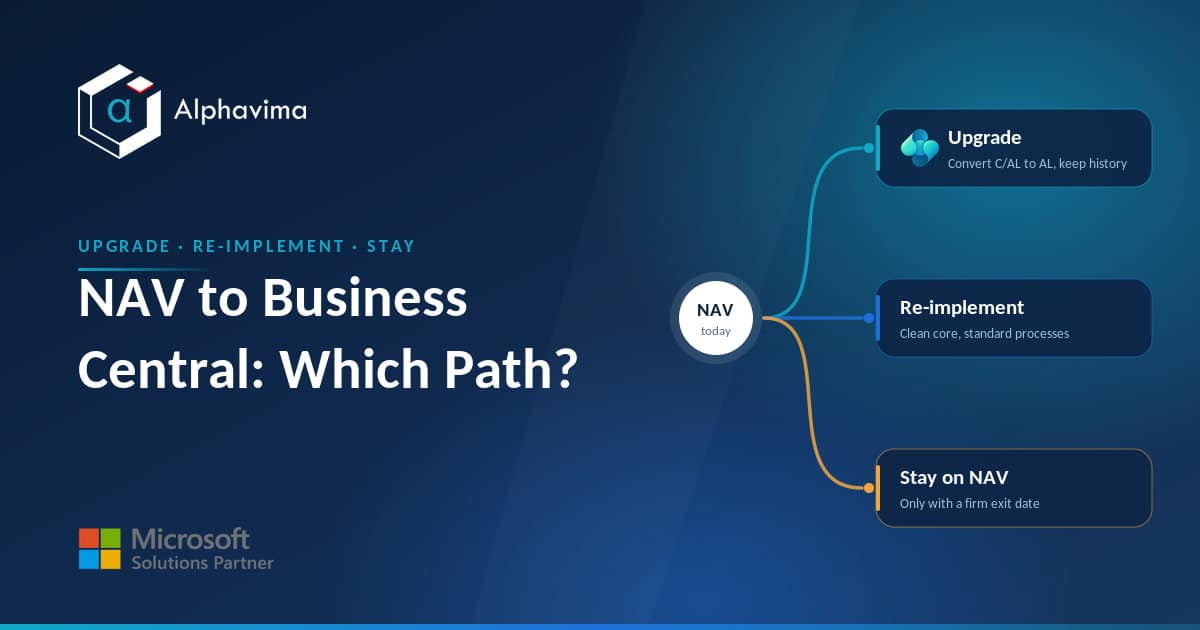
This article is for finance leaders, IT managers, and operations owners who need to make that call without a sales pitch. We will not walk you through migration steps here. Instead, we lay out a decision framework for the three real options in front of you: a technical upgrade to Business Central, a fresh re-implementation, or staying on NAV for a defined period while you plan.
Each path has a different cost, risk, and effort profile, and the right answer depends on your customisation debt, data history, and appetite for change.
Key takeaway / What you’ll learn: There is no single correct answer to a Dynamics NAV upgrade or re-implement decision. Use the customisation-debt, data-history, integration, cost, and risk lenses in this framework, cross-check them against the NAV support end dates, and pick the path that fits your business, not the one that fits a vendor’s quota.
Table of contents
Talk to a Business Central migration consultant
Book a quick call to talk through your migration project. No pressure, just practical advice. Or see our Business Central services.
Why this decision matters now
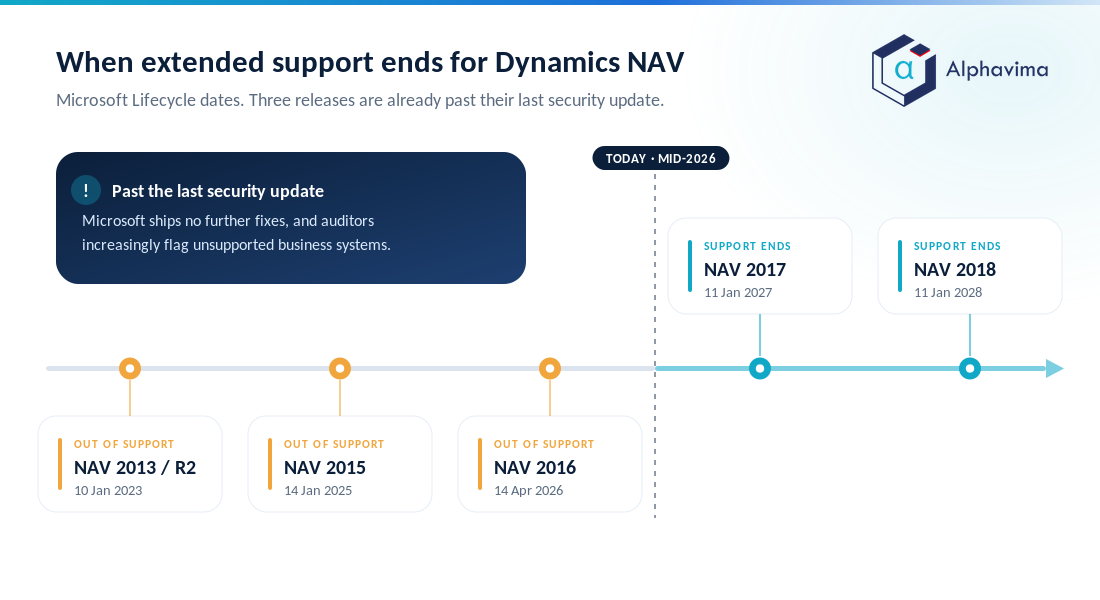
Dynamics NAV runs on Microsoft’s Fixed Lifecycle Policy: a defined mainstream support window followed by extended support (security updates only, no new features or design fixes). Once extended support ends, there are no further security patches, and running the system becomes a compliance and risk concern, not just a feature gap.
Here is where the common NAV versions stand, per Microsoft Lifecycle, with the oldest builds cross-checked against a consolidated NAV lifecycle summary:
| NAV version | Mainstream support ended | Extended support ends |
|---|---|---|
| NAV 2013 / 2013 R2 | 9 January 2018 | 10 January 2023 (ended) |
| NAV 2015 | 14 January 2020 | 14 January 2025 (ended) |
| NAV 2016 | 13 April 2021 | 14 April 2026 (ended) |
| NAV 2017 | 11 January 2022 | 11 January 2027 |
| NAV 2018 | 10 January 2023 | 11 January 2028 |
As of mid-2026, NAV 2016 and everything older is fully out of support. NAV 2017 has months left, and NAV 2018, the last release before the Business Central rebrand, is supported only until January 2028.
That is some runway, but “some runway” is not a strategy. Planning a move on your own timeline is cheaper and calmer than doing it under a security-audit deadline.
Note: Being out of support does not mean NAV stops working. It means Microsoft ships no more fixes, newer Windows Server and SQL Server versions may not be certified against your build, and auditors and insurers increasingly flag unsupported business systems as a risk.
Understand what changed between NAV and Business Central
Business Central is the same lineage, modernised. Two technical shifts drive the whole upgrade-versus-re-implement question.
From C/AL and C/SIDE to AL extensions
Classic NAV customisations were written in C/AL inside the C/SIDE development environment, and they were often stitched directly into the base application objects. Business Central uses the AL language and an extension model, where your customisations sit in separate extension packages that plug into the standard app rather than modifying it.
Microsoft documents this modern AL extension approach as the supported way to build.
That change is good news long term (upgrades stop breaking your code), but old C/AL customisation cannot simply be lifted across. It has to be assessed, then rebuilt as an AL extension, replaced by standard functionality, or retired.
The volume of that C/AL debt is usually the single biggest factor in your decision.
From on-premises boxes to cloud-first
Business Central comes in two flavours: the cloud SaaS service (Business Central online) and on-premises. Microsoft’s roadmap and Copilot features point at the online version, and many NAV shops use this move to leave server hardware behind.
If you plan to land in the cloud, our guide to NAV to Business Central cloud migration covers the mechanics.
The three paths, honestly compared
Path A: Technical upgrade
A technical upgrade carries your existing NAV database forward into Business Central: your data, your history, and (after conversion) your customisations. Microsoft’s supported route runs through Business Central on-premises first: you upgrade the NAV database to a supported Business Central on-premises version, then move that data into Business Central online with the cloud migration tooling, as set out in Microsoft’s NAV migration guidance.
- Best when: your NAV processes still fit the business well, your customisations are worth keeping, and you want to preserve full transactional history.
- The catch: every C/AL customisation must be converted to AL, and heavily modified base objects make this the most technically expensive path. The more you changed the core, the more you now pay to bring it forward.
Path B: Re-implementation
A re-implementation is a fresh Business Central install. You redesign processes on the standard app, adopt AL extensions only where truly needed, and migrate master data plus opening balances (and perhaps a slice of history) rather than the whole database.
- Best when: your NAV is heavily customised in ways that no longer reflect how you work, your data is messy, or you want a clean, upgrade-safe core.
- The catch: it is a change-management project, not just a technical one. You will redesign workflows, retrain users, and decide what history to leave behind. Done carelessly, it recreates the same mess in a new system.
Path C: Stay on NAV for now
Staying is a legitimate short-term choice, but only as a deliberate, time-boxed decision with an exit plan, not as drift.
- Best when: you are on NAV 2017 or 2018 (still in extended support), mid-way through another major project, or budget timing forces a delay of a year or two.
- The catch: you accumulate more customisation debt and eventually face the same move with less time. Every month on an unsupported build raises your security and compliance exposure.
The decision matrix
Use the matrix below to see which path your situation leans toward. Score each row for your own business, then look at where the weight lands.
| Factor | Technical upgrade | Re-implementation | Stay on NAV (short-term) |
|---|---|---|---|
| Customisation / C/AL debt | Best if custom code is moderate and worth keeping | Best if heavily or poorly customised | Debt keeps growing |
| Data history needs | Keeps full transactional history | Master data + balances (history optional) | History stays where it is |
| Process fit today | Processes still work well | Processes need a rethink | No change |
| Integrations | Rebuild connectors in AL / APIs | Redesign integrations cleanly | Remain as-is |
| Typical cost profile | Medium to high (rises with custom code) | Medium to high (rises with scope) | Low now, higher later |
| Downtime / disruption | Moderate, planned cutover | Higher, phased or big-bang go-live | None now |
| Risk profile | Lower business risk, higher technical effort | Higher change risk, cleaner outcome | Rising security/compliance risk |
| Time pressure fit | When the timeline is comfortable | When you want a fresh start | Only with real runway |
| Ideal for | Well-run NAV, sensible custom code | Outgrown, over-customised NAV | NAV 2017/2018 with a firm exit date |
A useful rule of thumb: the messier your customisations, the more a re-implementation pays off; the cleaner and more valuable your customisations and history, the more a technical upgrade makes sense. If neither is true yet and you are still in support, a short, planned stay is defensible, provided you set the exit date now.
Five questions that decide it
- How much C/AL customisation do you actually have, and is it still earning its keep? Ask your partner for an object-level assessment. Convert what adds value, drop what does not.
- How much history must move with you? Legal, tax, and reporting needs vary by industry and country. Full history favours an upgrade; a clean start favours re-implementation with archived history kept read-only.
- How many integrations touch NAV? Each connector (EDI, bank feeds, e-commerce, warehouse, CRM) is work in either path. Count them honestly before costing anything.
- What is your realistic budget window? Business Central online is a per-user subscription; see our Business Central pricing guide for current licence context. Then add the one-off project cost, which is where the paths differ most; our Business Central implementation cost breakdown shows what actually sits inside that number.
- What is forcing the timeline? An audit finding, a hardware refresh, an acquisition, or a support cliff all change the maths. No forcing event plus in-support software is the only comfortable case for “stay”.
Tip: Run these five questions as a half-day workshop with finance, IT, and operations in the same room. The disagreements you surface there are exactly the ones that would otherwise derail the project.
Still weighing a NAV upgrade against a clean rebuild?
Send us your NAV version and an object list from your development environment. We will return an object-level customisation assessment, a data plan, and a costed recommendation for upgrading, re-implementing or staying to a fixed exit date.
A short real-world scenario
A mid-sized distributor on NAV 2016 faced the decision in early 2026, just as their version left extended support. They had roughly forty C/AL customisations, but on review only about a dozen still matched how the business operated; the rest were workarounds for problems that standard Business Central now handles natively.
Full history mattered for warranty claims, but only in summary.
They chose a re-implementation with selective data migration: master data and open balances into a clean Business Central online tenant, the dozen valuable customisations rebuilt as AL extensions, and historical detail archived to a read-only store.
It cost more up front than a straight upgrade quote, but removed years of debt and left them on a core that upgrades automatically. A NAV shop with cleaner customisations and a stronger process fit would rightly have chosen the opposite path.
That is the point: the framework, not the fashion, decides.
Whichever way you lean, an experienced ERP consulting partner should give you an object-level customisation assessment and a data plan before recommending a path. Alphavima runs exactly this kind of assessment for NAV clients, and the same discipline applies whether you are coming from NAV or another Dynamics product such as Dynamics GP.
Conclusion
The move off Dynamics NAV is coming for every business still on it; the support dates make that certain. What varies from company to company is which path fits. A technical upgrade rewards a well-run NAV with sensible customisations and valuable history; a re-implementation rewards a system you have outgrown or over-customised; a short, planned stay is defensible only when you are still in support and have set an exit date.
Score your situation against the decision matrix and the five questions, get an honest object-level assessment of your customisations, and choose on evidence rather than pressure. Businesses that plan this on their own timeline spend less and disrupt less than those who wait for the deadline to choose for them.
Ready to move forward? Talk to the Alphavima team about a NAV customisation and data assessment, and we will map the upgrade, re-implement, or stay decision to your specific system, see our ERP consulting services to get started.

Related case study
Custom Truck One Source: Multi-ERP Migration, Zero Downtime
Custom Truck One Source migrated legacy data from multiple ERPs with full audit validation and no business downtime.
Read the case study · Next read: Business Central implementation cost
Frequently asked questions
Is Dynamics NAV still supported in 2026?
It depends on your version. NAV 2016 and everything older are out of extended support as of 2026, NAV 2017 is supported until January 2027, and NAV 2018 until January 2028, per Microsoft Lifecycle. After extended support ends there are no more security updates.
What is the difference between a NAV upgrade and a re-implementation?
A technical upgrade carries your existing database, history, and converted customisations forward into Business Central. A re-implementation is a fresh install where you redesign processes on the standard app and migrate mainly master data and balances. The first preserves the past; the second buys a clean core.
Do my C/AL customisations move to Business Central automatically?
No. NAV C/AL code cannot run in current Business Central versions, which have been AL and extension based only since the 2019 release wave 2 (version 15). Each customisation must be assessed and either rebuilt as an AL extension, replaced by standard functionality, or retired. The volume of C/AL code is usually the biggest cost driver.
Can I go straight from NAV to Business Central online?
Not in a single step. Microsoft asks you to upgrade the NAV database to a supported Business Central on-premises version first, then use the cloud migration tooling to move that data into Business Central online. Our NAV to Business Central cloud migration guide covers the mechanics.
How much does moving from NAV to Business Central cost?
It varies with customisation depth, data volume, and integration count, so treat any single number with caution. Business Central online is a per-user subscription, plus a one-off project cost that differs most between the two migration paths. Check the current Microsoft pricing page for licence figures.
Will I lose my transaction history if I re-implement?
Not necessarily. Most re-implementations migrate master data and open balances, and keep historical detail in a read-only archive that stays available for audit and lookups. How much history you must retain live depends on your legal and reporting requirements.
Is it safe to stay on NAV for another year or two?
It can be, if you are on an in-support version (2017 or 2018) and set a firm exit date. Staying on an out-of-support build means no security patches and growing compliance risk, which auditors and insurers increasingly flag.
Which is better, on-premises Business Central or the cloud version?
Business Central online (cloud SaaS) gets Microsoft’s roadmap, Copilot features, and automatic updates, and removes server maintenance. On-premises still exists for specific data-residency or control needs. Most NAV shops moving today choose online unless a clear requirement rules it out.