








Alphavima Technologies

June 25th, 2026

Business Central Pricing in 2026: A Practical Cost Guide

Business Central pricing is one of the first questions teams ask when they weigh a move to Microsoft’s cloud ERP, and the answer is more layered than a single per-user figure. The published license price is only the starting point, because implementation, data migration, add-on apps, and training all shape what you actually spend.

This guide breaks down each piece in plain terms. We will cover the three license types, the Essentials vs Premium decision, and the total cost picture so you can build a realistic budget instead of guessing.

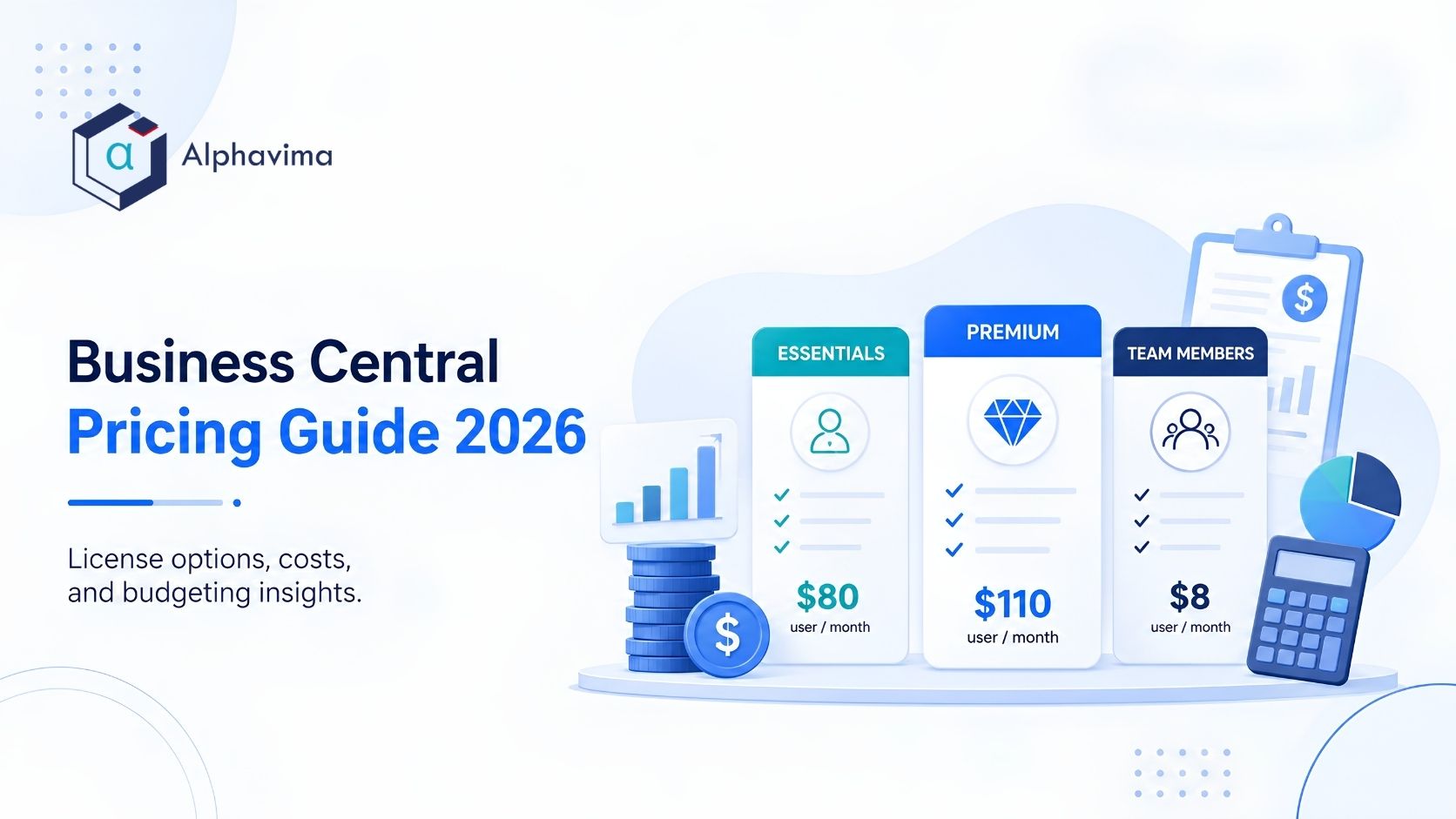
Business Central pricing tiers comparison of Essentials, Premium, and Team Members

How Business Central Licensing Works

Microsoft sells Dynamics 365 Business Central as cloud SaaS, billed per named user and paid annually. Each person who needs full access gets their own license, so your monthly bill scales with headcount and role, not with the number of devices.

There are three main license types, and most companies mix them. A handful of full users handle core transactions, while lighter staff sit on the cheaper Team Members plan. Because of this, two firms with the same employee count can land on very different Business Central license cost numbers.

It also helps to know that prices changed recently. A price increase took effect on November 1, 2025: Essentials moved from USD $70 to USD $80, and Premium from USD $100 to USD $110 per user per month. In Canada, the equivalent Microsoft list prices are CAD $108.50 for Essentials and CAD $149.20 for Premium. The figures below reflect those current rates as of 2026.

The Three License Tiers

Here is how the tiers compare. All figures are Microsoft list prices for cloud SaaS, paid annually, as of 2026.

License TypePrice (USD, per user/month)Price (CAD, per user/month)Who It Is ForWhat It Includes
EssentialsUSD $80CAD $108.50Full users in finance, sales, purchasing, operationsFinancial management, sales and basic CRM, purchasing, inventory and warehousing, project management, basic supply chain
PremiumUSD $110CAD $149.20Full users who also run manufacturing or field serviceEverything in Essentials, plus manufacturing and service management
Team MembersUSD $8CAD $10.90Light users who read data and do limited tasksRead most data; limited entries such as time sheets, approvals, and basic records

All prices are Microsoft list prices, paid yearly, excluding tax. Verify current pricing with Microsoft, since list prices change by region and over time.

Team Members deserve a note. The plan is meant for people who mostly look up information, approve requests, or enter the occasional record. It is not designed for full transactional work, so a busy accountant or warehouse lead still needs an Essentials or Premium seat.

Business Central Essentials vs Premium

For most buyers, the real decision is Business Central Essentials vs Premium. Both share the same financial and operational core, so the split comes down to two extra modules: manufacturing and service management.

If your company makes products, assembles kits, or runs production orders, Premium pays for itself. The same is true if you manage field service, repairs, or service contracts. On the other hand, a distributor or professional services firm often runs comfortably on Essentials and saves USD $30 (about CAD $40.70) per user each month.

You can also mix the two. Microsoft does require that full users on the same tenant share a tier, so plan your mix carefully and confirm the rule with your partner before you commit. The table below shows the feature line that separates them.

Feature AreaEssentials (USD $80 / CAD $108.50)Premium (USD $110 / CAD $149.20)
Financial managementIncludedIncluded
Sales and basic CRMIncludedIncluded
PurchasingIncludedIncluded
Inventory and warehousingIncludedIncluded
Project managementIncludedIncluded
Basic supply chainIncludedIncluded
Microsoft CopilotIncludedIncluded
ManufacturingNot includedIncluded
Service managementNot includedIncluded

One point has changed since Microsoft updated its packaging: Microsoft Copilot is now included in both Essentials and Premium, so it is no longer a paid add-on. The exception is the agents. The Sales Order Agent and the Payables Agent run on Copilot Credits, which are sold separately and require an Azure subscription, so budget for them on their own line if you plan to use them.

If you are still weighing platforms entirely, our comparison of Business Central vs SAP Business One puts the feature trade-offs side by side. You can also confirm the latest module details on the official Microsoft Business Central pricing page.

Total Business Central license cost picture with implementation and add-on budgets

The Total Cost of Ownership Picture

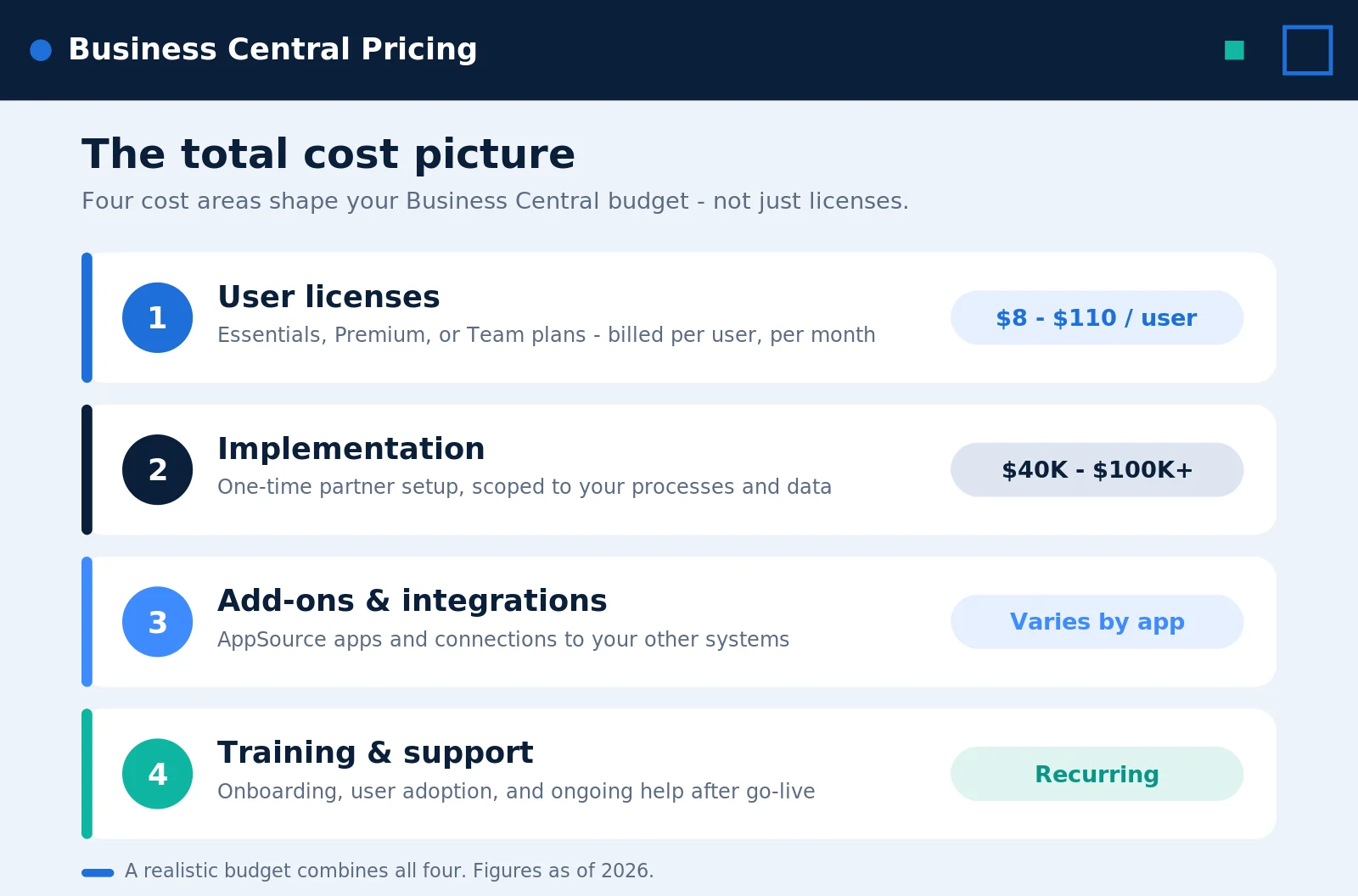
License fees rarely tell the whole story. Beyond subscriptions, you should plan for several one-time and ongoing costs that often add up to more than the first year of licenses. Budgeting for them early keeps the project on track and avoids surprises.

Here are the main cost layers to expect:

  • Partner implementation. A guided rollout often runs USD $40,000 to USD $100,000 or more, which is roughly CAD $54,000 to CAD $136,000,, depending on scope, integrations, and how many modules you turn on.
  • Data migration. Moving customers, vendors, history, and open transactions from your old system takes effort and testing.
  • AppSource add-on apps. Many teams add tools for payroll, shipping, EDI, or reporting, each with its own monthly fee.
  • Integrations. Connecting Business Central to a CRM, e-commerce platform, or warehouse system adds development time.
  • Training and support. Plan for onboarding sessions and a support arrangement after go-live.

The sample below shows how these layers stack on top of license fees for a midsize rollout. Treat it as an illustration; your numbers will vary by scope. Licence figures are Microsoft list prices as of 2026. CAD amounts for implementation are approximate conversions and are not a quote.

Cost LayerTypeTypical Range (USD)Typical Range (CAD)
Essentials/Premium licensesOngoing (annual)USD $80–$110 per full user/monthCAD $108.50–$149.20 per full user/month
Team Members licensesOngoing (annual)USD $8 per light user/monthCAD $10.90 per light user/month
Partner implementationOne-timeUSD $40,000–$100,000+About CAD $54,000–$136,000+
Data migrationOne-timeVaries by data volume and quality
AppSource add-on appsOngoingPer-app monthly fees
IntegrationsOne-timeVaries by number of systems
Training and supportOne-time + ongoingVaries by team size

Migration costs in particular depend on where you start. Teams moving from older Dynamics NAV will find our NAV to Business Central Online migration guide useful for scoping that work. Likewise, if integrations sit on your roadmap, our walkthrough on Business Central and Power Automate API integration shows how connections come together.

Cloud Updates and Versions

One more factor shapes long-term cost. Business Central is cloud SaaS with two major updates per year, so you stay current without manual upgrade projects. An on-premises option still exists, yet most new buyers choose cloud for the lower maintenance and predictable subscription model. For the finer points, the Microsoft licensing documentation spells out the rules.

Your migration starting point also shapes the budget. If you are moving off another system, our step-by-step guides walk through replacing QuickBooks with Business Central, migrating from Sage 50 or 200 to Business Central, and moving from SAP Business One to Business Central.

Need a clear Business Central price quote?

Alphavima sizes the right licenses and gives you a transparent, all-in cost for your rollout.

Conclusion

Business Central pricing starts at clear per-user rates, yet the real budget comes together when you add implementation, migration, add-ons, and training to the picture. Once you map your user roles and choose between Essentials and Premium, the numbers become much easier to plan around.

If you want help sizing licenses or scoping a rollout, Alphavima can guide the math and the migration. Reach out through our ERP consulting services to build a cost estimate that fits your business, and review the Microsoft Business Central documentation as you plan your next step.

FAQs

What is the basic Business Central pricing in 2026?

As of 2026, Essentials costs USD $80 per user per month (CAD $108.50) and Premium costs USD $110 per user per month (CAD $149.20), both cloud SaaS and paid annually. Team Members cost USD $8 per user per month (CAD $10.90) for light access.

Why did Business Central license cost go up recently?

Microsoft raised list prices on November 1, 2025. Essentials moved from USD $70 to USD $80 and Premium from USD $100 to USD $110 per user per month. The Canadian list prices are CAD $108.50 for Essentials and CAD $149.20 for Premium. Microsoft adjusts pricing periodically, so confirm current rates before you sign.

What is the difference in Business Central Essentials vs Premium?

Both tiers share the same financial and operational core. Premium adds two modules, manufacturing and service management, for USD $30 (about CAD $40.70) more per user each month. Microsoft Copilot is included in both tiers. If you produce goods or run field service, Premium is usually the right fit.

Is Microsoft Copilot included in Business Central pricing?

Yes. Microsoft Copilot is now included in both Essentials and Premium at no extra licence cost. The agents are the exception: the Sales Order Agent and the Payables Agent run on Copilot Credits, which are sold separately and require an Azure subscription.

Can I mix license types to lower BC subscription pricing?

Yes. Most companies pair a few Essentials or Premium full users with several cheaper Team Members. The right mix depends on each person’s role, so map your users before you buy.

Does the license price include implementation?

No. The per-user fee covers software access only. Partner implementation often runs USD $40,000 to USD $100,000 or more, roughly CAD $54,000 to CAD $136,000, and you should also budget for migration, add-ons, integrations, and training.

Is there still an on-premises version?

Yes, an on-premises option exists. Even so, most new buyers choose cloud because it includes two updates a year and avoids manual upgrade work.

Where can I confirm current Dynamics 365 Business Central cost figures?

Check the official Microsoft pricing page for your region, or ask a Microsoft partner. The US and Canadian pages list different figures, and prices change over time, so a quick confirmation protects your budget.

    Get in Touch