











You have signed the contract. There is a go-live date on a slide, a partner with a methodology deck, and a plan that looked convincing in the sales cycle and now looks thinner every week.
The question you actually need answered is not what ERP is. It is what happens in week nine, who is supposed to be doing it, and how you will know when it is genuinely finished rather than declared finished.
Every ERP project runs through the same sequence regardless of vendor, methodology name or industry. Microsoft groups them into Discover, Initiate, Implement, Prepare and Operate in its Success by Design framework. Other vendors use different labels for the same work.
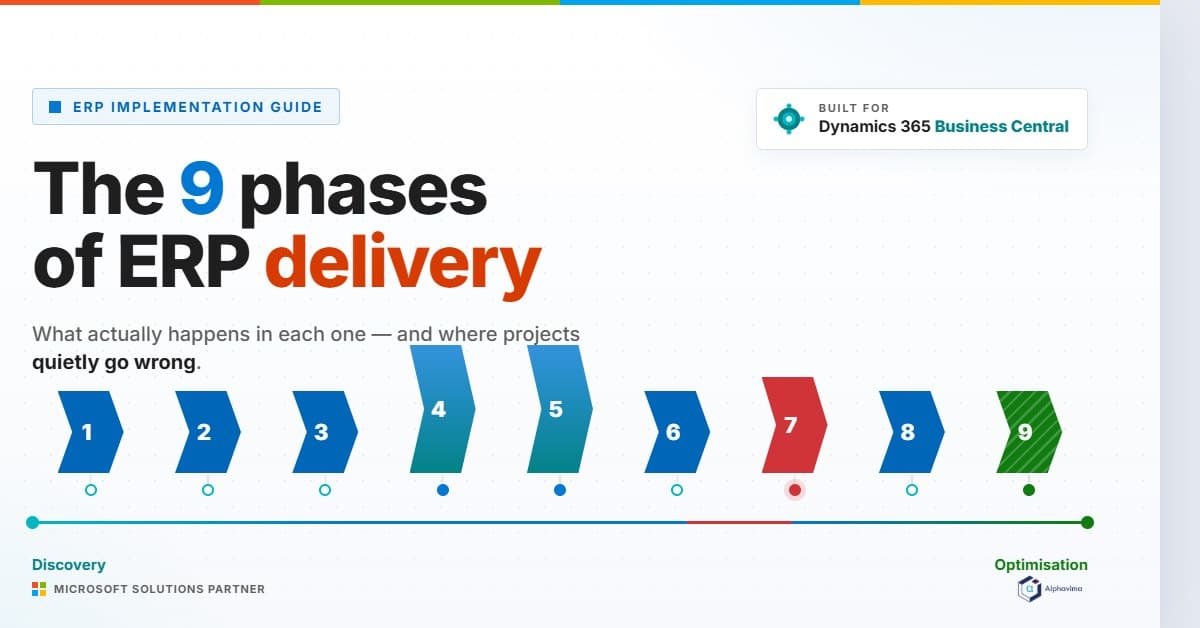
What follows is the methodology neutral version: nine phases, with the purpose, the owner, the deliverable that proves the phase is closed, and the way each one most commonly goes wrong.
Table of contents
Talk to an ERP consultant
Book a quick call to talk through your ERP project. No pressure, just practical advice. Or see our ERP consulting services.
The shape of an ERP project
Before the detail, the proportions. The table below reflects how effort has distributed across Alphavima delivery projects. It is our own observation from delivery, not published research, and the ranges are deliberately wide because a distribution rollout and a multi-entity finance consolidation do not spend their effort the same way.
| Phase | Owns it | Deliverable that closes the phase | Share of total effort |
|---|---|---|---|
| Discovery and process mapping | Customer process owners, facilitated by partner | Signed as-is and to-be process maps | 10 to 15% |
| Solution design and fit-gap | Partner solution architect | Approved design document and gap register | 10 to 15% |
| Build and configuration | Partner functional and development team | Configured environment matching the design document | 20 to 25% |
| Data migration | Joint, with a named customer data owner | Reconciled mock migration signed by finance | 15 to 20% |
| Testing | Customer business users | UAT script pass rate and defect log at agreed threshold | 15 to 20% |
| Training | Customer, supported by partner | Competence check per role, not attendance register | 5 to 10% |
| Cutover | Project manager, single named person | Executed runbook with every row timestamped | 3 to 5% |
| Hypercare | Partner support, with customer triage | Exit criteria met and support handed to BAU | 5 to 8% |
| Optimisation | Customer product owner | Backlog with business cases attached | Outside the project baseline |
Two things fall out of that table. Build is not the biggest thing you are buying, and the phases that fail projects sit either side of it. The other is that cutover, the weekend everybody worries about, is a rounding error in effort and an enormous concentration of risk.
Phase 1: Discovery and process mapping
Purpose. Establish how the business actually runs today, as distinct from how the procedures manual says it runs, and decide which of those processes survive into the new system.
Owner. Your process owners. The partner facilitates and documents. If the partner is writing your process maps without a named person from your side in the room, you are buying someone’s assumptions about your business.
Exit deliverable. As-is and to-be process maps signed by the person accountable for each process, with volumes attached. Order lines per day, invoices per month, users per role.
How it goes wrong. Discovery becomes a demonstration. The partner shows standard functionality, everyone nods, and nothing is written down about the six exceptions that account for most of your month-end effort. The exceptions surface in UAT, where they are ten times more expensive to handle.
The other common failure is scheduling discovery workshops with people who have day jobs and no backfill, so the attendees are whoever was free rather than whoever knows. Getting the right people in the right roles is a prerequisite, not a detail: ERP implementation team structure covers how to staff it.
Phase 2: Solution design and fit-gap
Purpose. Convert the to-be processes into a specific configuration and a specific, priced list of gaps.
Owner. The partner’s solution architect, with sign-off from your process owners.
Exit deliverable. A design document that a different consultant could build from, plus a gap register where every gap has a decision against it: configure, extend, change the process, or accept the workaround.
How it goes wrong. Gaps get deferred rather than decided. A gap register with fifteen items marked “to be confirmed” going into build is a schedule slip that has already happened but has not been announced yet.
Gartner’s analysis of why ERP initiatives disappoint puts flawed project execution and unclear division of responsibilities among the main causes, and the gap register is where that ambiguity first becomes visible.
Phase 3: Build and configuration
Purpose. Produce a working system that matches the design document, including integrations, security roles and reports.
Owner. The partner’s functional consultants and developers.
Exit deliverable. A configured environment with a completed configuration workbook, so that the settings can be rebuilt deterministically in the production environment later. If the only record of your configuration is the sandbox itself, cutover will be an improvisation.
How it goes wrong. Security roles and reports get treated as a later problem. They are not later problems. Roles decide what UAT participants can even see, and reports are what finance will use to decide whether the migration reconciled. Both belong in build, not in the fortnight before go-live.
Phase 4: Data migration
Purpose. Move the data the business needs, prove it arrived intact, and leave behind the data it does not.
Owner. Jointly held, which is the source of most of the trouble. Name one person on your side who owns data quality and one on the partner side who owns the extract, transform and load mechanics.
Exit deliverable. A reconciled mock migration with control totals, record counts and a trial balance that agrees, signed by the financial controller rather than the project manager.
How it goes wrong. Cleansing happens after extraction instead of before it, so the same corrections get reapplied on every cycle and nobody can tell which version of the data is current. The second failure is running one mock migration and calling the technique proven.
Our ERP data migration strategy guide sets out the master and transactional split and the reconciliation controls, and Dynamics 365 data migration covers the platform specifics for Business Central and Finance and Operations.
Phase 5: Testing
Purpose. Prove the configured system handles your real transactions, including the awkward ones, with your real data and your real security roles.
Owner. Your business users. Not the partner. A partner testing their own build is a build review, not acceptance.
Exit deliverable. Executed UAT scripts with a recorded pass rate, a defect log triaged by severity, and an agreed threshold. “Zero severity one defects and no more than five open severity twos” is a threshold. “Testing went well” is not.
How it goes wrong. Scripts describe the happy path only. A test that confirms you can raise a sales order proves very little. A test that confirms you can raise a sales order for a customer on credit hold, part ship it, credit one line and still reconcile the subledger proves something.
ERP user acceptance testing covers how to write scripts that find defects rather than confirm optimism.
Phase 6: Training and change readiness
Purpose. Get every role to the point of competence in the new process, not familiarity with the new screens.
Owner. You. The partner can deliver sessions, but adoption is an internal accountability.
Exit deliverable. A competence check per role. Can this person complete their daily task list in the new system, unaided, using the new process, in a time that the business can absorb.
How it goes wrong. Training is scheduled too early, so it is forgotten, or too late, so it collides with cutover. It is also usually measured by attendance. Harvard Business Review observes that roughly three quarters of change efforts fail to deliver the anticipated benefits or are abandoned, and the gap is rarely the technology.
Building an ERP training plan covers sequencing and the competence check itself.
Phase 7: Cutover
Purpose. Move from the old system to the new one inside a defined window, with a defined point of no return.
Owner. One named person running the runbook. Not a committee.
Exit deliverable. An executed runbook where every row has an owner, a start time, a finish time and an initial. Microsoft’s guidance on cutover strategy makes the same point: list every task and define how each one is verified and signed off.
How it goes wrong. No rollback trigger is defined in advance, so at 03:00 on Sunday the decision to continue or revert is made by whoever is most tired and most invested. Define the trigger before the weekend, in writing, with a named decision maker.
Building an ERP cutover plan covers runbook structure, and the go-live readiness assessment is the gate you pass before you get to the runbook at all.
Is your implementation plan a schedule or a wish?
Alphavima reviews ERP delivery plans against the phase gates above and tells you which ones have real exit criteria and which are dates with nothing behind them. Send us your project plan and we will come back with the gaps, whether or not you work with us.
Phase 8: Hypercare
Purpose. Stabilise the system through the first full business cycle, which for most organisations means the first month-end close.
Owner. Partner support with a customer triage function, on a defined rota, with defined response times.
Exit deliverable. Documented exit criteria met. A clean month-end close, the interface error queue at zero or at an agreed steady state, and open defects below an agreed count. Then support transfers to business as usual.
How it goes wrong. Hypercare has no end date and no exit criteria, so it either ends abruptly when the partner’s budget runs out or drifts for months as an unbilled dispute. The other failure is that nobody owns the interface error queue on day one.
Messages fail quietly, and three weeks later the stock ledger does not agree with the warehouse.
Phase 9: The optimisation window
Purpose. Realise the benefits that justified the project, which almost never land at go-live.
Owner. An internal product owner. If this role does not exist, optimisation does not happen.
Exit deliverable. A prioritised backlog where each item carries a business case, and a review cadence that survives contact with the day job.
How it goes wrong. The project team disbands the week after go-live and the benefits case goes with it. This is the phase that separates a project that worked from one that merely finished.
Research by McKinsey and the University of Oxford across more than 5,400 IT projects found that large projects run 45 per cent over budget and deliver 56 per cent less value than predicted.
The value shortfall is the larger number, and it is created here. This is also when the old system finally gets switched off: legacy system decommissioning covers doing that without losing your audit trail.
Where the phases overlap, and where they must not
Discovery and design overlap naturally. Build and data migration overlap by necessity, because the migration needs a target to load into. Training and testing overlap productively, since the people who wrote the UAT scripts make the best trainers.
The one boundary that must hold is between testing and cutover. If UAT is still finding severity one defects, cutover is not a decision, it is a gamble. The go-live readiness assessment exists precisely to make that boundary a formal gate with named approvers rather than a conversation about whether the date can still be hit.
One more structural point. The Project Management Institute reports that one in four organisations name inadequate sponsor support as the primary cause of failed projects. Every phase above has an owner, but the phase gates need someone senior enough to say no.
If your sponsor attends the steering committee but has never refused a gate, the gates are decorative.
If you are still in the selection stage, the ERP selection checklist covers the work that happens before any of this. If you are building the numbers, the business case for ERP replacement is the companion piece.
And when you are ready to turn these phases into tasks, the ERP implementation checklist is the line by line version.
Related reading
- ERP implementation checklist
- ERP data migration strategy
- ERP go-live readiness assessment

Related case study
Manufacturing ERP on Business Central
A manufacturer put the shop floor, stockroom and finance on one Dynamics 365 Business Central ERP.
Read the case study · Next read: The 12-question ERP selection checklist
Frequently asked questions
How many phases are there in an ERP implementation?
The number depends on whose methodology you are reading. Microsoft's Success by Design uses five phases: Discover, Initiate, Implement, Prepare and Operate. Practically, the work divides into nine distinct blocks with different owners and different exit deliverables: discovery, design and fit-gap, build, data migration, testing, training, cutover, hypercare and optimisation. The labels matter far less than whether each block has a named owner and a deliverable that proves it closed.
Which ERP implementation phase takes the longest?
Build and configuration usually consumes the largest single share of effort, but testing and data migration together consistently exceed it. Across Alphavima projects those two phases account for roughly a third of total effort. Plans that allocate three weeks to testing are almost always plans that have not been tested against reality.
Can ERP implementation phases run in parallel?
Some can and should. Data migration development runs alongside build because it needs a target environment. Training material development runs alongside testing. The boundary that should not be crossed is between acceptance testing and cutover: starting cutover while severity one defects remain open moves risk from a controlled environment into production.
What is the difference between go-live and hypercare?
Go-live is the moment transactions start in the new system. Hypercare is the period after it where support cover is increased, response times are shortened and the implementation team is still available. Hypercare should have written exit criteria, normally a clean month-end close plus defect and interface error thresholds, rather than simply expiring when the budget does.
Who should own each ERP implementation phase, the partner or the customer?
Discovery, testing, training and optimisation are customer owned with partner support. Design, build and hypercare are partner owned with customer sign-off. Data migration and cutover are genuinely joint, which is exactly why they need two named owners rather than a shared understanding. Ambiguity about ownership in these two phases is the most reliable predictor of a difficult go-live.
What happens if a phase gate is missed?
The correct answer is that the date moves or the scope moves. What usually happens instead is that the gate is passed conditionally and the unfinished work is carried forward into the next phase, where it is harder and more expensive. Conditional gate passes should be counted, reported and treated as debt, because that is what they are.