











If you are shortlisting a cloud ERP in 2026, Microsoft Dynamics 365 Business Central and Acumatica Cloud ERP will almost certainly both land on your list. They serve similar buyers, small and mid-sized companies that have outgrown entry-level accounting software, but they are built and, crucially, priced on very different assumptions.
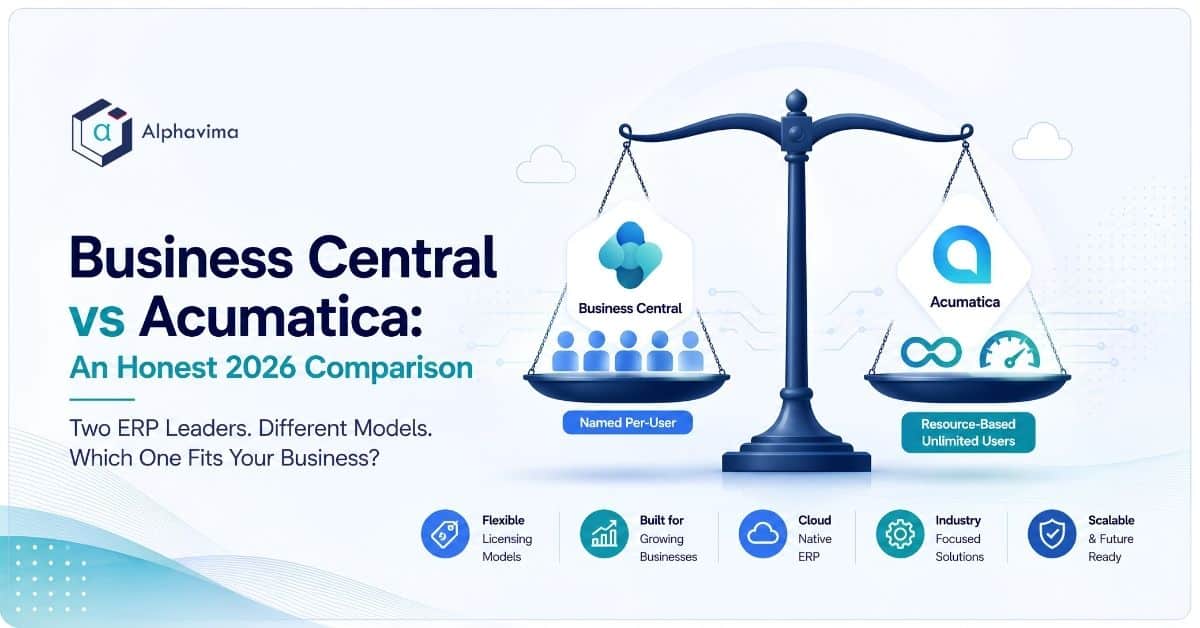
Business Central charges per named user. Acumatica charges for resources and applications while letting you add as many users as you like.
This guide is for finance leaders, operations managers and IT decision-makers who want a fair read rather than a sales pitch. Alphavima is a Microsoft partner, so we will be upfront about that, but the aim here is to show you which platform genuinely fits which kind of business, and where Acumatica’s model is the honestly better choice.
Key takeaway / What you’ll learn: Business Central bills per user and rewards teams where a defined group needs full ERP access, especially Microsoft-centric ones. Acumatica bills by usage and applications with unlimited users, which suits companies that need many light or occasional users.
Neither is “cheaper” in the abstract; the winner depends on your user count, your industry and your Microsoft footprint.
Table of contents
At a glance: Business Central vs Acumatica
| Factor | Dynamics 365 Business Central | Acumatica Cloud ERP |
|---|---|---|
| Licensing model | Named per-user subscription | Resource and consumption based, unlimited users |
| Headline 2026 price | Essentials $80, Premium $110, Team Members $8 per user/month | Custom quote based on applications, transaction volume and deployment |
| Best for | Microsoft-centric SMBs, finance and ops teams with a defined power-user group | Businesses with many occasional users, or field/warehouse-heavy workforces |
| Strong verticals | Distribution, professional services, light manufacturing, retail | Construction, distribution, manufacturing, retail-commerce (dedicated editions) |
| Deployment | Cloud-first SaaS (Microsoft-hosted); on-prem still available | True flexibility: public cloud, private cloud, or on-premises, your choice |
| Ecosystem | Deep Microsoft 365, Teams, Power Platform, Azure and Copilot integration | Open, API-first; integrates broadly but not natively into Microsoft 365 |
| Ideal company size | ~10 to 300 employees | ~20 to 1,000+ employees, especially usage-heavy ones |
| Main limitation | Cost climbs with every full-user seat you add | Pricing is quote-only and can be opaque until you scope it |
Why this comparison is really about pricing philosophy
Most ERP comparisons drown you in feature checklists. In practice, Business Central and Acumatica both cover the core: general ledger, AP/AR, cash management, inventory, sales and purchasing, project accounting and reporting. The features rarely decide the shortlist. The licensing model does.
That single difference, per-user versus per-resource, ripples into everything: how much you pay as you grow, who gets access and how predictable your bill is. So rather than pretend the two are feature-for-feature rivals, this comparison focuses on the decision that actually changes the answer.
How the two licensing models actually work
Business Central uses a named per-user model. Each person who needs full access holds a licence. According to Microsoft’s official pricing page, the 2026 rates are $80 per user/month for Essentials, $110 per user/month for Premium, and $8 per user/month for Team Members (a light licence for people who only read data, approve documents or enter timesheets).
Premium adds manufacturing and service management on top of Essentials. For a full breakdown of tiers and hidden costs, see our Business Central pricing guide.
Acumatica takes the opposite approach. Its pricing model is resource and consumption based, and users are unlimited. You are not buying seats; you are buying a combination of three things: the applications (modules) you switch on, the transaction volume and computing resources you expect to consume, and your chosen deployment.
Add a warehouse clerk, a site foreman or a seasonal temp and the licence cost does not move, because you are paying for usage, not headcount.
Note: “Unlimited users” does not mean “free” or “unlimited everything”. Heavier transaction volumes and more applications push an Acumatica quote up. The lever is usage, not people, which is a genuinely different way to budget.
Where Business Central wins
Business Central’s biggest advantage is not a feature; it is the Microsoft ecosystem around it. If your team lives in Outlook, Excel, Teams and SharePoint, Business Central feels like an extension of tools people already use rather than a separate system to learn.
The Microsoft ecosystem advantage
Business Central connects natively to Microsoft 365, so you can process a sales order from an Outlook email, refresh live data into Excel, or approve a purchase in Teams. Power BI, Power Automate and Power Apps sit alongside it in the same tenant, and Copilot is woven into the product for tasks like drafting marketing text, reconciling bank statements and answering questions about your data.
For a Microsoft-shaped organisation, this coherence is hard to match, and it lowers the training and integration bill in a way that rarely shows up on a licence quote. It also pairs cleanly with analytics through Business Central and Microsoft Fabric integration.
Predictable per-seat maths for defined teams
When a specific group needs the ERP, finance, purchasing, a handful of operations staff, per-user pricing is refreshingly easy to model. Twelve Essentials users is $960 a month; you know that on day one.
The Team Members licence at $8 also lets you give dozens of casual approvers or timesheet-only staff cheap access without full seats, which softens the usual criticism of per-user models.
Fast, familiar rollouts
Because the interface follows Microsoft conventions and the partner ecosystem is enormous, Business Central rollouts for SMBs tend to be quick and well-trodden.
Where Acumatica wins
Acumatica earns its place on the shortlist honestly, and for some businesses it is the clearly better answer.
Unlimited users change the economics for wide teams
If you have a large or fluctuating population of light users, warehouse operators, field technicians, project managers, external partners, retail staff, per-user pricing punishes you for growth. Acumatica’s model removes that ceiling. A construction firm giving 150 site staff access to project and time data pays the same licence whether it is 150 users or 15.
When access needs to be broad rather than deep, this is where Acumatica pulls decisively ahead.
Strong, purpose-built verticals
Acumatica ships dedicated editions for Construction, Distribution, Manufacturing and Retail-Commerce, with industry functionality built in rather than bolted on. Its construction and distribution editions in particular have a strong market reputation, and its pricing site even offers per-industry calculators. For a contractor or a high-volume distributor, that vertical depth can outweigh ecosystem considerations.
Genuine deployment flexibility
Business Central is cloud-first, and for most buyers that is the right default. Acumatica, though, gives you a real choice: public cloud, private cloud, or on-premises, on the same code base, and you can move between them. Companies with data-residency rules, connectivity constraints or a preference to own their infrastructure value that optionality.
Tip: If most of your prospective users would only ever read reports or approve documents, price out both models before deciding. Business Central Team Members at $8 versus Acumatica’s flat unlimited approach can swing the total either way depending on your exact mix.

Where Acumatica’s model gets harder to compare
The flip side of “one transparent price” is that Acumatica pricing is quote-only. There is no public per-user rate to anchor against, and the final figure depends on how you scope applications, resources and deployment.
That makes apples-to-apples budgeting harder early in the process, and it means the quality of your requirements scoping directly affects the price you are offered. Business Central’s published rates, by contrast, let you sanity-check a budget in minutes.
Consumption-based pricing can also surprise fast-growing companies: as transaction volumes climb, so can the renewal. It is a different budgeting discipline, usage growth rather than headcount growth.
A worked example: same company, two bills
Imagine a 90-person distribution business. Twenty-five people need full ERP access; the other 65 are warehouse and floor staff who only scan, pick and check stock.
- Business Central: 25 Essentials users at $80 is $2,000/month, plus 65 Team Members at $8 is $520/month, for roughly $2,520/month in licences. Predictable, and the light users are cheap.
- Acumatica: one usage-and-application-based quote covering all 90 users, sized to the company’s transaction volume. If that same firm expected to add 200 more warehouse staff next year, the Acumatica line barely moves while the Business Central Team Member line would keep growing.
Neither is universally cheaper. The tipping point is how many users you have and how heavily they transact, which is exactly why you should model your own numbers rather than trust a headline.
Which should you choose?
Use these signals to point yourself in the right direction.
Lean towards Business Central if: – You are already invested in Microsoft 365, Teams, Azure or Power Platform. – Your ERP users are a defined, relatively stable group. – You want published, predictable per-seat pricing and a fast, well-supported rollout. – Copilot and native Microsoft analytics are part of your roadmap.
Lean towards Acumatica if: – You have a large or seasonal population of light or occasional users. – You are in construction, or a distribution/manufacturing operation with heavy field or warehouse access needs.
– You need deployment choice across cloud and on-premises, or have data-residency constraints. – Growth for you means more users far faster than more transactions.
If you are torn, the deciding question is usually simple: does your business grow mainly by adding people who need access, or by doing more with a set team? Add-people businesses often favour Acumatica’s model; deepen-a-team businesses often favour Business Central.
If you also want a Microsoft-versus-Microsoft-adjacent view, our Business Central vs SAP Business One comparison covers a related decision. And whichever way you lean, an independent ERP consulting assessment will price both models against your real user mix before you commit.
Model both ERP licensing options against your team
Send us your user mix and transaction profile. We will price Business Central and Acumatica for your actual usage before you commit.
Conclusion
The honest verdict is that Business Central and Acumatica are not really competing on features; they are competing on how you want to pay and how your business grows. Business Central rewards Microsoft-centric companies with defined user groups and gives you published, predictable per-seat pricing plus the deepest Microsoft integration on the market.
Acumatica rewards companies with wide, fluctuating or field-heavy user populations, and offers genuine deployment freedom and strong construction and distribution editions.
The wrong move is to pick on brand loyalty alone. The right move is to map your actual user mix, your industry needs and your Microsoft footprint against both models, then price them side by side. Do that, and the answer for your specific business usually becomes obvious.
Ready to move forward? Talk to the Alphavima team about a side-by-side evaluation of Business Central and Acumatica against your own user count and industry, and get a clear-eyed recommendation from our ERP consulting practice.
Frequently asked questions
Is Acumatica really unlimited users?
Yes. Acumatica’s licensing does not charge per named user; you can add as many users as you need. Cost is driven instead by the applications you enable, your transaction volume and computing resources, and your deployment choice, per Acumatica’s official pricing page.
How much does Business Central cost per user in 2026?
Microsoft lists Business Central Essentials at $80 per user/month, Premium at $110 per user/month, and Team Members at $8 per user/month, all billed annually. Premium adds manufacturing and service management over Essentials.
Does unlimited-user pricing make Acumatica cheaper than Business Central?
Not automatically. Acumatica can be cheaper when you have many light or occasional users, but its usage-based quote can exceed Business Central for a small, defined team with modest transaction volumes. Model both against your actual user count.
Which ERP is better for construction or distribution?
Acumatica has strong, purpose-built Construction and Distribution editions and is a frequent choice in those sectors. Business Central handles distribution well and light manufacturing via Premium, but Acumatica’s dedicated vertical depth is a genuine advantage for contractors and high-volume distributors.
Does Business Central integrate better with Microsoft 365?
Yes. Business Central is native to the Microsoft stack, with built-in connections to Outlook, Excel, Teams, Power Platform, Azure and Copilot. Acumatica is open and API-friendly and integrates broadly, but it does not offer the same out-of-the-box Microsoft 365 experience.
Can both run on-premises?
Both can, but with different emphasis. Acumatica offers public cloud, private cloud and on-premises on the same code base as a first-class choice. Business Central is cloud-first SaaS, with an on-premises option that most new buyers do not take.
Which is easier to budget for?
Business Central is easier to budget up front because Microsoft publishes per-user rates. Acumatica is quote-only, so the figure depends on scoping applications and resources; it can be very predictable once set, but harder to estimate before you engage a partner.
Should a small Microsoft-centric company pick Business Central?
Usually, yes. For a smaller organisation already using Microsoft 365 with a defined group of ERP users, Business Central’s ecosystem fit, published pricing and fast rollout make it the natural choice. Acumatica becomes compelling as your light-user population grows large.