











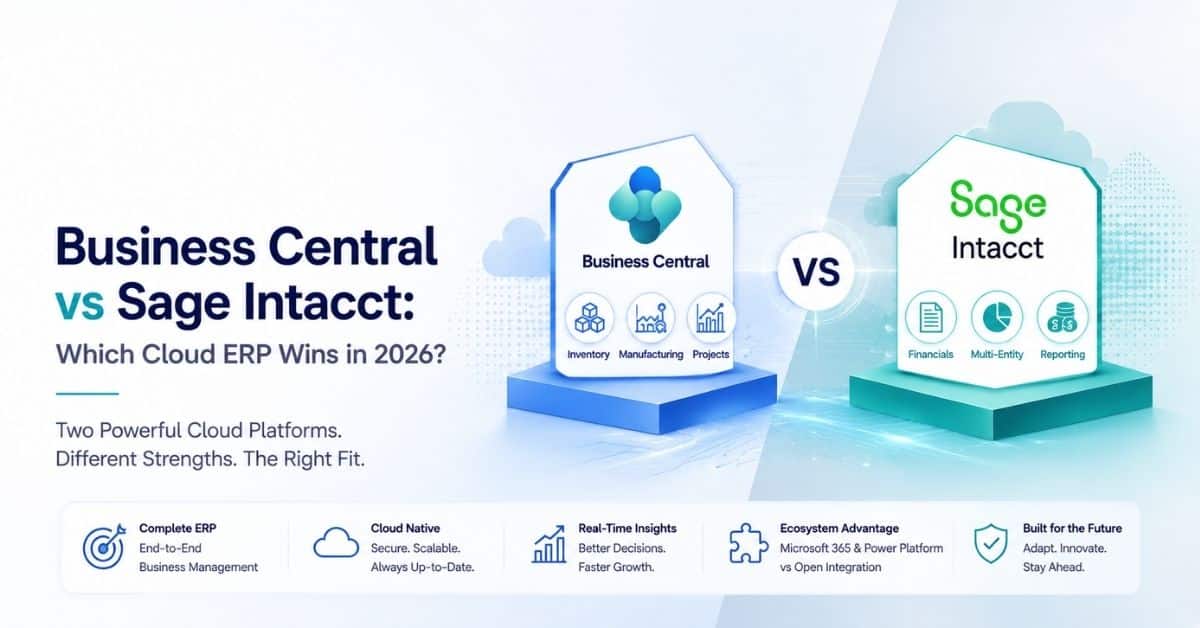
If your finance team has outgrown QuickBooks or an ageing on-premises system, two names keep surfacing on the shortlist: Microsoft Dynamics 365 Business Central and Sage Intacct. Both are genuine cloud platforms, both serve the mid-market, and both are strong.
But they were built with different centres of gravity, and that difference decides which one fits your business.
This comparison is written for finance leaders, controllers, and IT buyers who want a fair read rather than a sales pitch. We look at accounting depth, ERP breadth, pricing models, deployment, integrations, and the company profile each product suits best.
Alphavima works with organisations moving onto Business Central, so we are a Microsoft partner, but the goal here is to earn the conclusion, not assume it.
Key takeaway / What you’ll learn: Sage Intacct is a best-in-class cloud accounting and multi-entity financials engine; Business Central is a broader ERP that runs finance, inventory, manufacturing, projects, and sales on one platform with native Microsoft 365, Power BI, and Copilot.
Your choice comes down to whether you need the deepest general ledger or the widest operational footprint.
Table of contents
At a glance: Business Central vs Sage Intacct
| Factor | Dynamics 365 Business Central | Sage Intacct |
|---|---|---|
| Product type | Full cloud ERP (finance + operations) | Cloud financial management / accounting-first ERP |
| Pricing model | Named per-user subscription, published list price | Quote-based subscription, no public list price |
| Entry pricing (2026) | Essentials $80 user/month, Premium $110 user/month (paid yearly) | Custom quote; typically several thousand USD/year and up |
| Best for | Product and project businesses wanting one system | Finance-led, multi-entity, services and non-profit organisations |
| Core accounting depth | Strong, dimension-based | Best-in-class GL, dimensions, real-time consolidation |
| Operational breadth | Inventory, warehouse, manufacturing, projects, sales, purchasing | Focused on financials; operations via integrations |
| Native analytics/AI | Power BI, Copilot, Microsoft 365 built in | Dashboards, Sage Copilot, open API for BI tools |
| Deployment | Cloud (SaaS) or on-premises option | Cloud (SaaS) only |
| Endorsement | Microsoft ecosystem standard | AICPA preferred financial management solution |
| Ideal company size | ~10 to 500+ users, product/service mix | Finance teams needing scale in reporting and consolidation |
What Sage Intacct does exceptionally well
Sage Intacct is, first and foremost, an accounting platform, and it is one of the best in its class. It is the AICPA preferred financial management solution, an endorsement from the American Institute of CPAs that carries real weight with finance professionals. That heritage shows up in the product.
Dimensions and the general ledger
Instead of forcing you to build a long, rigid chart of accounts, Sage Intacct uses a dimensional general ledger. You tag transactions with dimensions such as department, location, project, customer, or fund, then slice reports along any combination without adding account codes.
For organisations that report across many cost centres, this keeps the ledger clean and reporting flexible.
Multi-entity and consolidation
This is where Sage Intacct genuinely shines. If you run several legal entities, currencies, or funds, it handles inter-entity transactions and produces consolidated results in near real time. Month-end consolidation that takes days of spreadsheet work in other systems can run continuously.
For private-equity-backed groups, multi-location non-profits, and professional-services firms with many entities, that alone can justify the platform.
Industry fit
Sage Intacct has deep functionality for non-profit fund accounting, professional services, healthcare, and SaaS revenue recognition (including ASC 606 and subscription billing). If your complexity lives in the finance function rather than the warehouse, it was built for you.
Note: Sage Intacct is a finance-first system. It integrates well with CRM, payroll, expense, and operational tools, but it does not natively run manufacturing or warehouse operations. Plan for connected best-of-breed apps rather than one platform.
What Business Central does exceptionally well
Dynamics 365 Business Central is a full ERP. Finance is strong, but it sits alongside inventory, warehousing, manufacturing, project management, purchasing, and sales in a single system with one data model.
One platform for operations and finance
If you buy, make, store, or ship anything, the operational side matters. Business Central tracks stock across locations, runs production orders and bills of materials, manages jobs and resources, and posts it all straight to the ledger.
A manufacturer or distributor can run the whole business in one place instead of stitching finance to a separate operations system. If you are weighing operational ERPs, our Business Central vs SAP Business One comparison covers that neighbouring decision.
Native Microsoft 365, Power BI, and Copilot
Because Business Central is part of the Microsoft stack, the integrations are built in rather than bolted on. Users work from Outlook and Excel, reporting runs through Power BI, and Copilot brings AI assistance into everyday finance tasks.
For an organisation already standardised on Microsoft 365, this removes a whole layer of integration cost and change management.
Dimensions and scaling
Business Central also supports dimension-based accounting, so cost-centre reporting is well handled. It scales from small teams up through mid-sized companies, and the Premium tier adds service management and manufacturing for businesses that need them.
Tip: If your finance requirements are moderate but your operational complexity is high, the platform that runs your operations natively usually wins, because every integration you avoid is a cost and a point of failure you avoid.
Pricing models compared
The two products price very differently, and that is a decision factor in itself.
Business Central: transparent per-user subscription
Business Central uses named per-user licensing with published list prices. Per Microsoft’s Business Central pricing page, the 2026 rates are:
- Essentials: $80 per user/month (paid yearly), covering finance, sales, purchasing, inventory, and projects.
- Premium: $110 per user/month (paid yearly), adding service management and manufacturing.
- Team Members: $8 per user/month (paid yearly) for light users who read data, approve, and update limited records.
You can estimate a budget on a napkin: count your full users, pick a tier, and multiply. For a fuller breakdown including implementation and hidden costs, see our Business Central pricing guide.
Sage Intacct: quote-based subscription
Sage Intacct does not publish list prices. Its pricing page states that plans are built from the modules you need, so cost depends on which modules you licence, the number of entities, the user count, and transaction volume. You get a tailored quote after a scoping conversation.
There is a trade-off in each model. Business Central pricing is predictable and easy to compare. Sage Intacct pricing is configured to what you actually use, which can be efficient for a lean finance team but harder to benchmark before you engage sales.
As a rough guide, Sage Intacct subscriptions commonly start in the low tens of thousands of USD per year for a small organisation and climb with modules and entities.
Note: With either platform, subscription fees are only part of total cost. Implementation, data migration, integrations, and training typically add a meaningful multiple of year-one licence cost. Model three-year total cost of ownership, not month-one licensing.

Deployment and integrations
Both are true SaaS products maintained by the vendor with regular update cycles, so you are not patching servers. One practical difference: Business Central still offers an on-premises deployment option for organisations with specific data-residency or control requirements, whereas Sage Intacct is cloud-only.
On integrations, Business Central leans on the Microsoft ecosystem, Power Platform, Dataverse, and a large ISV marketplace (AppSource). Sage Intacct offers an open REST/API-based platform and a marketplace of partner connectors, and it is frequently paired with Salesforce for CRM.
If your CRM is Salesforce and your priority is accounting, Sage Intacct is a natural companion. If your world is Microsoft, Business Central keeps everything under one login and one security model.
Which should you choose?
Neither product is the universal winner. The honest answer depends on where your complexity lives.
Choose Sage Intacct if:
- Your complexity is financial: many entities, funds, currencies, or continuous consolidation.
- You are a non-profit, professional-services, healthcare, or subscription business needing deep fund or revenue-recognition capability.
- Finance owns the system decision and you are happy to connect best-of-breed operational apps.
- The AICPA endorsement and accounting-first pedigree matter to your stakeholders.
Choose Business Central if:
- You need one system for finance and operations: inventory, manufacturing, projects, or distribution.
- You are already standardised on Microsoft 365 and want native Power BI and Copilot.
- You value transparent, per-user pricing you can forecast without a sales call.
- You want room to grow from finance into a full ERP without replatforming.
For many product-based and mixed product/service companies in the Microsoft world, Business Central is the better centre of gravity, because it removes integration overhead and gives you operational and financial data in one place.
For finance-led organisations whose hardest problems are consolidation and dimensional reporting, Sage Intacct earns its place. If you currently run a Sage product and are weighing the move, our Sage to Business Central migration guide walks through what that transition involves.
Get a straight Business Central vs Sage Intacct read
Bring your entity structure and where your complexity sits. We will tell you which platform fits and scope the move.
Conclusion
Business Central and Sage Intacct are both credible, modern cloud platforms, and the “winner” is the one that matches where your complexity sits. Sage Intacct is the sharper instrument for finance-led organisations that live and die by consolidation and dimensional reporting.
Business Central is the broader platform for companies that need finance and operations together, especially inside the Microsoft ecosystem, with pricing you can forecast up front.
Before you commit, shortlist honestly against your real requirements, and model total cost of ownership over three years rather than comparing sticker prices. The right platform is a decade-long decision, so it is worth getting the fit right the first time.
Ready to move forward? If you want an impartial assessment of whether Business Central fits your finance and operations, talk to the Alphavima team through our ERP consulting services, and we will help you weigh the options against your numbers.
Frequently asked questions
Is Business Central or Sage Intacct better for accounting?
Sage Intacct has the deeper, more specialised core accounting engine, particularly for multi-entity consolidation, dimensional reporting, and fund or revenue-recognition scenarios. Business Central has strong, dimension-based accounting too, but its advantage is breadth across operations rather than depth in the general ledger alone.
How much does Business Central cost in 2026?
Per Microsoft’s pricing page, Business Central Essentials is $80 per user/month and Premium is $110 per user/month, both paid yearly, with Team Members at $8 per user/month. These are list prices before implementation, migration, and any ISV add-ons.
How much does Sage Intacct cost?
Sage Intacct uses quote-based pricing with no public list price. Cost depends on the modules you licence, the number of entities and users, and transaction volume, so you receive a tailored quote after scoping. Budgets commonly start in the low tens of thousands of USD per year and rise with complexity.
Is Sage Intacct a full ERP or just accounting?
Sage Intacct is best described as a cloud financial management platform, or an accounting-first ERP. It is exceptional at finance and reporting but relies on integrations for operational functions such as manufacturing and warehouse management, which Business Central runs natively.
Which integrates better with Microsoft 365 and Power BI?
Business Central, clearly. It is part of the Microsoft stack, so Outlook, Excel, Power BI, Power Platform, and Copilot are built in rather than added through connectors. Sage Intacct integrates with these tools through its API but does not offer the same native experience.
Does either product run on-premises?
Business Central offers both cloud (SaaS) and an on-premises deployment option, which suits organisations with specific control or data-residency needs. Sage Intacct is cloud-only and delivered purely as software as a service.
Is Sage Intacct better for non-profits and professional services?
For those sectors Sage Intacct is a very strong fit, thanks to mature fund accounting, project and time-based billing, and revenue recognition. Business Central serves these organisations well too, especially when they also need inventory or broader ERP functions in the same system.
Should we migrate from QuickBooks to Business Central or Sage Intacct?
Both are common upgrades from QuickBooks. If your growth is mainly in financial complexity and reporting, Sage Intacct is a natural step; if you are adding operations such as stock, production, or projects, Business Central gives you finance and operations on one platform. Model three-year total cost of ownership for each before deciding.