











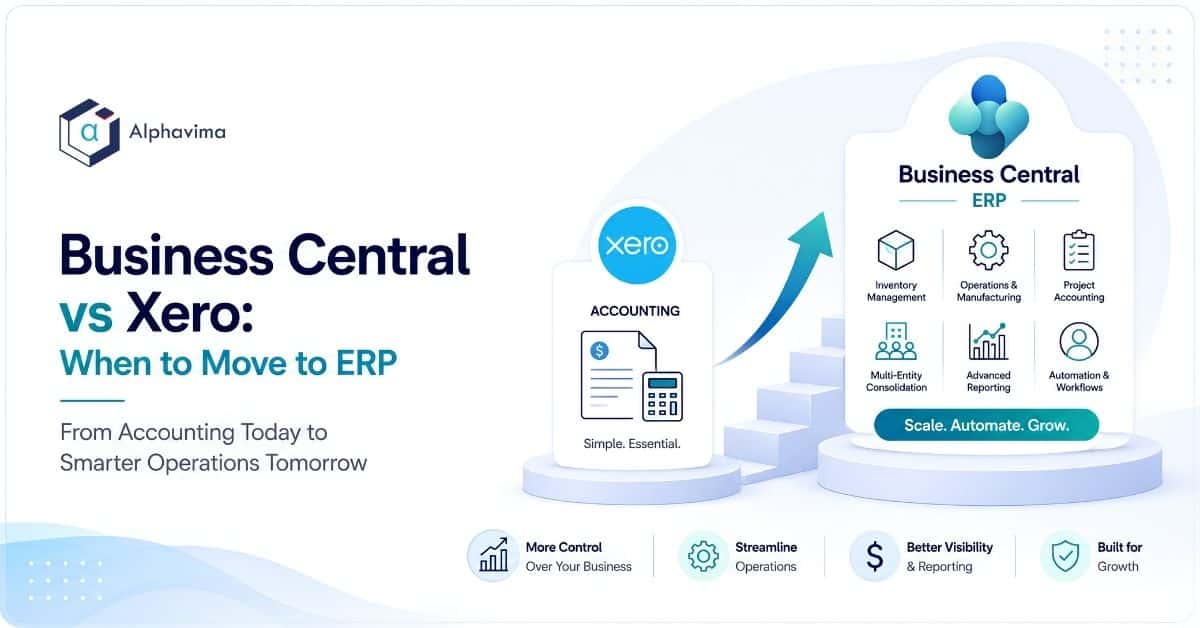
If you run a growing business, there is a good chance you started your finances in Xero. It is clean, affordable accounting software that thousands of small firms rely on, and for a five-person company it is often all you need.
The question this article answers is not “which product is better”, because they are not really the same category. Xero is accounting software. Microsoft Dynamics 365 Business Central is a full ERP. The real question is when your business crosses the line where accounting software alone starts to cost you more than it saves.
This post is for founders, finance leads and operations managers who feel Xero straining at the edges and want an honest, non-salesy read on whether it is time to move up. We will cover what each tool actually does, where their scope differs, current 2026 pricing for both, the signs you have outgrown Xero, and what a migration path looks like.
Key takeaway / What you’ll learn: Xero is excellent small-business accounting. Business Central is a broader ERP that adds inventory depth, manufacturing, multi-entity consolidation, project accounting and advanced reporting. You should move when spreadsheets, manual approvals and disconnected systems start eating real time, usually somewhere past 15-20 staff or when operations get complicated.
Table of contents
At a glance: Business Central vs Xero
| Dimension | Xero | Dynamics 365 Business Central |
|---|---|---|
| Category | Cloud accounting software | Full cloud ERP (finance + operations) |
| Pricing model | Flat monthly fee per organisation, unlimited users | Per named user, per month |
| 2026 entry price (US) | Early plan $25/mo; Growing $55/mo; Established $90/mo, rising to $27, $59 and $97 from 1 October 2026 | Essentials $80/user/mo; Premium $110/user/mo; Team Members $8/user/mo |
| Best for | Sole traders and small businesses, straightforward finances | Growing SMBs with inventory, operations or multi-entity needs |
| Inventory | Basic tracking; Inventory Plus add-on for more | Full inventory, warehousing, multiple locations, costing methods |
| Manufacturing | Not supported natively | Production BOMs, routings, capacity (Premium) |
| Multi-entity / consolidation | One entity per subscription; add-ons or separate files | Native intercompany and financial consolidation |
| Projects / jobs | Project tracking on higher plans | Full job costing, WIP, resources and billing |
| Reporting | Standard reports and dashboards | Dimensions, account schedules, Power BI, Copilot |
| Ideal company size | Roughly 1-25 staff | Roughly 15-500 staff |
| Ecosystem | Large app marketplace, open API | Deep Microsoft 365, Power Platform and Fabric integration |
The table shows the pattern clearly. Xero wins on simplicity and price for small operations. Business Central wins on breadth once your processes go beyond bookkeeping.
What Xero does well
Xero is genuinely good at what it was built for. It handles invoicing, bank reconciliation, bills, payroll integrations and GST or sales tax with very little friction. The interface is friendly enough that non-accountants can use it, and the bank feeds and reconciliation flow are among the best in the small-business market.
Two things make Xero attractive to small firms. First, pricing is a flat monthly fee for the whole organisation with unlimited users, so a growing headcount does not raise your bill. Second, the app marketplace is large, letting you bolt on tools for expenses, inventory, point of sale and more.
According to the official Xero US pricing page, the plans currently run from Early at $25 a month to Established at $90 a month, and Xero has announced a US price rise to $27, $59 and $97 respectively from 1 October 2026, with an Inventory Plus add-on available on the higher tiers.
(In the UK and some other regions the plans carry different names such as Ignite, Grow and Comprehensive, but the tiered structure is similar.)
For many companies, that is the right answer for years. If your finances are mostly invoices in, bills out and a clean monthly close, moving to an ERP would be over-buying. Be honest about that before you shop.
Note: Outgrowing Xero is not a criticism of Xero. It is a sign your business has become more complex than accounting software was designed to handle. That is a good problem to have.
What Business Central adds
Business Central starts where accounting software stops. It includes the general ledger, accounts payable and receivable you would expect, but it wraps them into an operational system that also runs inventory, sales and purchasing, warehousing, projects and, on the Premium tier, manufacturing and service management.
The differences that matter most to a growing company are:
- Inventory and supply chain depth. Multiple warehouses, bin locations, item tracking by lot or serial number, and real costing methods (FIFO, average, standard). Xero’s inventory is deliberately light by comparison.
- Manufacturing. Production bills of materials, routings and capacity planning come with Business Central Premium. Xero has no native equivalent.
- Multi-entity and consolidation. Business Central handles intercompany transactions and financial consolidation across companies natively, instead of juggling one Xero file per entity.
- Project and job costing. Full work-in-progress, resource planning and project billing, well beyond simple project time tracking.
- Dimensional reporting. Instead of a fixed chart of accounts, you tag transactions with dimensions (department, region, project) and slice reports any way you need, with Power BI and Microsoft Copilot layered on top.
Because Business Central sits inside the Microsoft ecosystem, it connects directly to Excel, Outlook, Teams, the Power Platform and Microsoft Fabric. If your team already lives in Microsoft 365, that integration removes a lot of copy-paste. The official Microsoft learn documentation is a good place to see the full functional footprint.
Business Central vs Xero pricing in 2026
Pricing is where the two products look most different, and it is easy to compare them unfairly. Xero charges a flat fee per organisation regardless of how many people log in. Business Central charges per named user.
Per the Microsoft Business Central pricing page, the 2026 US rates are:
| Business Central licence | Price (US) | Who it is for |
|---|---|---|
| Essentials | $80/user/month | Finance, sales, purchasing, inventory, projects |
| Premium | $110/user/month | Everything in Essentials plus manufacturing and service |
| Team Members | $8/user/month | Light users who read data and do basic tasks |
So a company with five full Essentials users and ten Team Members would pay roughly $480 a month for licences, versus $90 a month for Xero’s Established plan. On the licence line alone, Xero is far cheaper, and for a small firm that gap is the whole story.
The comparison changes once you count what sits around the licence. With Xero you often pay for several add-on apps (inventory, expenses, approvals, reporting) that each carry their own subscription and their own integration to maintain.
Business Central folds many of those into one system, so the honest comparison is total cost of the whole stack plus the staff time spent stitching tools together, not one subscription against another.
Implementation is also a real cost with Business Central that Xero does not carry. For a full breakdown of licences, implementation and hidden costs, see our Business Central pricing guide.
Tip: Do not compare $90 to $480 and stop there. Add up every Xero add-on subscription, plus the hours your team spends moving data between them, before you decide which is genuinely cheaper for your situation.
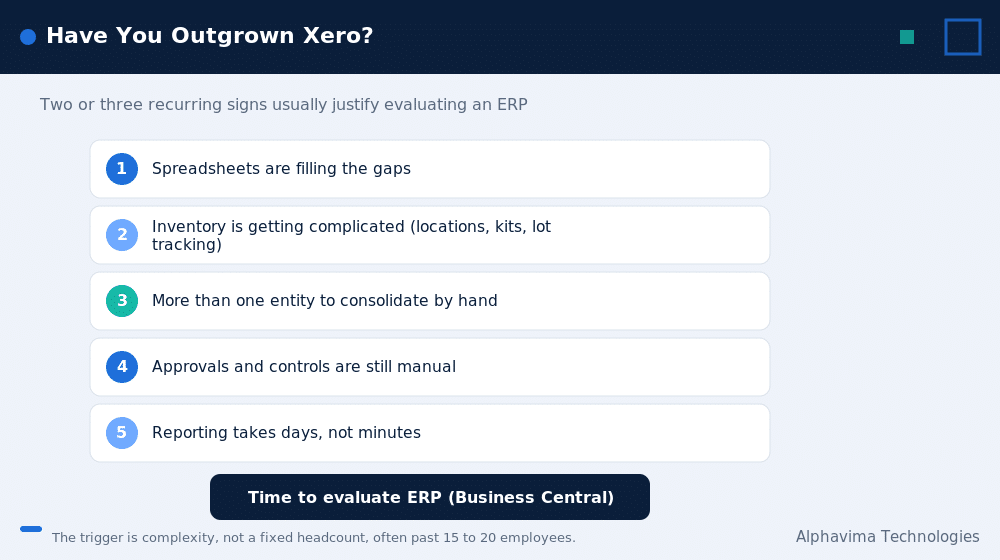
Five signs you have outgrown Xero
You do not need every sign below. Two or three that keep recurring is usually enough to justify evaluating an ERP.
- Spreadsheets are filling the gaps. When the real numbers live in Excel and Xero has become the place you post the summary, the system of record has quietly moved out of your accounting software.
- Inventory is getting complicated. Multiple locations, assemblies or kits, landed costs or serial and lot tracking are where light inventory tools start to break.
- You have more than one entity to consolidate. Managing several Xero files and consolidating them by hand each month is a clear signal, especially with intercompany transactions.
- Approvals and controls are manual. Growing companies need purchase approvals, segregation of duties and an audit trail that a small-business tool was not built to enforce.
- Reporting takes days, not minutes. If producing a board pack means exporting, merging and reformatting across systems, dimensional ERP reporting pays for itself quickly.
There is often a size marker too. Many businesses start feeling these pressures somewhere past 15 to 20 employees, or when transaction volume climbs into the tens of thousands per year, though the trigger is complexity rather than a fixed headcount.
Which should you choose?
Choose Xero if your finances are straightforward, your inventory is simple or non-existent, you operate a single entity, and you value a low flat fee with unlimited users. For a large share of small businesses, that is the correct and cost-effective answer, and moving to ERP too early just adds cost and admin.
Choose Business Central if you are hitting several of the signs above, if operations (inventory, manufacturing, projects) are now as important as bookkeeping, if you run multiple entities, or if you are already invested in Microsoft 365 and want finance and operations in one place.
If you are also weighing other mid-market ERPs, our Business Central vs SAP Business One comparison covers that decision.
A practical middle path exists too. Some companies stay on Xero for a year or two while they grow, plan the move deliberately, and switch before the pain becomes acute rather than after. That is usually cheaper than a rushed migration during a crisis.
What the migration path looks like
Moving from accounting software to ERP is a project, not a switch you flip, but it is a well-worn path. The pattern is similar to the one we describe in our QuickBooks to Business Central migration guide, and the same stages apply coming from Xero.
- Scope and design. Map your current processes, decide which Xero add-ons you can retire, and design the chart of accounts and dimensions in Business Central.
- Data migration. Bring across master data (customers, suppliers, items, chart of accounts) and opening balances. Historical transactions are usually kept in Xero as an archive rather than fully imported.
- Configuration and integrations. Set up approvals, tax, inventory, and connect the tools you keep, such as payroll or a sales channel.
- Testing and training. Run parallel or pilot cycles, validate the first month-end, and train users before go-live.
- Go-live and support. Cut over at a clean period boundary, typically the start of a financial period, then stabilise.
A typical small to mid-market Business Central implementation runs a few weeks to a few months depending on complexity and integrations. Working with a Microsoft partner keeps the data mapping and month-end validation clean.
Alphavima’s ERP consulting team does this work specifically for firms graduating from accounting software into Business Central, and we scope it so you only take on the modules you actually need.
Find out whether you have outgrown Xero
Bring your pain points. We will assess honestly whether it is time for ERP and scope a right-sized Business Central move.
Conclusion
Xero and Business Central are not rivals so much as two stages of the same journey. Xero is the right tool for straightforward small-business finances, and for many companies it stays the right tool for a long time.
Business Central is where you go when your business has grown past bookkeeping into real operations, with inventory, projects, multiple entities and reporting that accounting software was never designed to carry.
The decision comes down to complexity and total cost, not the headline subscription price. If you are seeing two or three of the signs of outgrowing Xero, it is worth mapping what a move would actually involve before the pressure forces a rushed choice.
Ready to move forward? If you are weighing Business Central vs Xero and want a straight answer for your situation, the Alphavima ERP consulting team will assess whether you have genuinely outgrown Xero and scope a right-sized Business Central move. Contact us for a no-pressure conversation.
Frequently asked questions
Is Business Central better than Xero?
Neither is universally better because they solve different problems. Xero is small-business accounting software and Business Central is a full ERP. Xero is the better fit for simple finances and a low flat fee, while Business Central is better once you need inventory depth, manufacturing, multi-entity consolidation or advanced reporting.
When should I move from Xero to an ERP?
Consider moving when spreadsheets have become your real system of record, inventory or operations have grown complex, you are consolidating multiple entities by hand, or reporting takes days. Many businesses feel this past roughly 15 to 20 employees, though complexity matters more than headcount.
How much does Business Central cost compared with Xero in 2026?
Xero US plans currently run from $25 to $90 a month as a flat fee for the whole organisation, and Xero has announced a US price rise to $27 to $97 a month from 1 October 2026. Business Central is per user, at $80 for Essentials, $110 for Premium and $8 for Team Members per month. On the licence line Xero is cheaper, but Business Central often replaces several paid add-ons, so compare the whole stack.
Does Business Central include accounting like Xero?
Yes. Business Central includes the general ledger, accounts payable and receivable, bank reconciliation, tax and financial reporting, and then adds operations such as inventory, purchasing, projects and manufacturing around that finance core.
Can I keep using Xero add-ons after moving to Business Central?
Some, but many become unnecessary because Business Central covers inventory, approvals, expenses and reporting natively. Part of scoping a migration is deciding which third-party tools to retire and which to keep and integrate, such as payroll or an ecommerce platform.
Does Xero handle inventory and manufacturing?
Xero offers basic inventory tracking and an Inventory Plus add-on on higher plans, but it has no native manufacturing. Business Central provides full inventory, warehousing and, on the Premium tier, production bills of materials, routings and capacity planning.
How long does a Xero to Business Central migration take?
A typical small to mid-market implementation runs from a few weeks to a few months depending on data volume, integrations and process complexity. Master data and opening balances are migrated, while historical detail is usually archived in Xero.
Is Business Central worth it for a small business?
If your finances are simple and you run a single entity, Xero is usually the more sensible and affordable choice. Business Central becomes worth it when operational complexity, multiple entities or reporting demands mean accounting software plus add-ons costs you more time and money than one integrated ERP.