











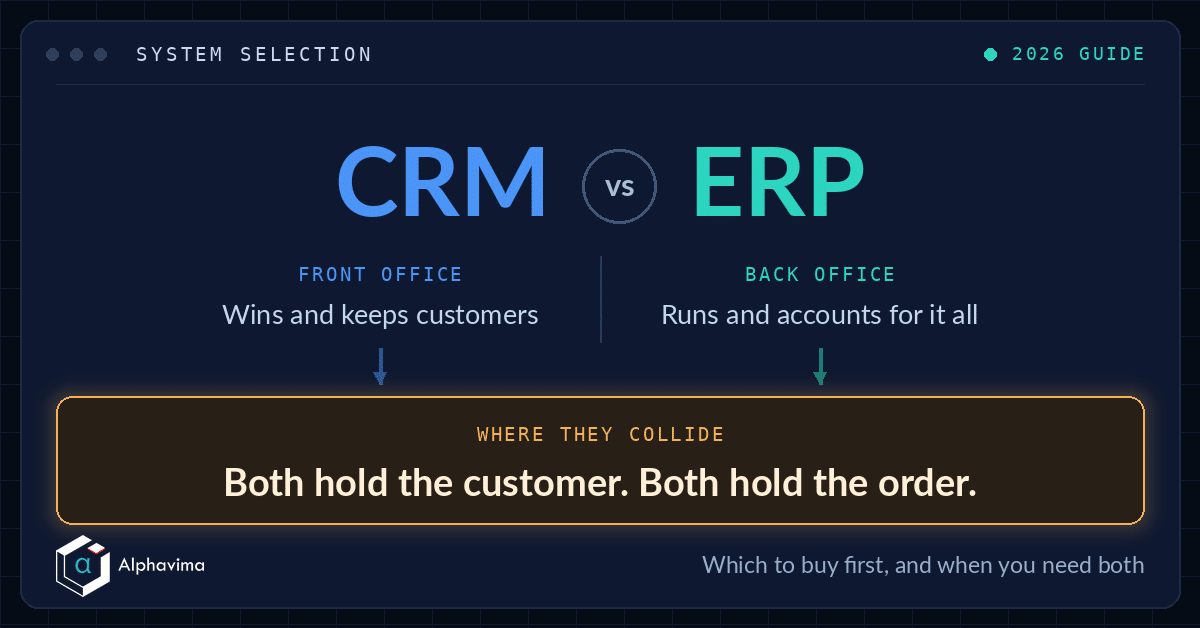
If you have ever sat in a software demo and quietly wondered whether you were being shown a CRM or an ERP, you are not alone. The two acronyms get used almost interchangeably, the sales decks overlap, and vendors happily sell you “a platform” without ever making the distinction clear. This guide fixes that.
This is written for business and IT buyers who are early in a system selection and want a straight answer: what CRM actually manages, what ERP actually manages, where the two genuinely overlap, and how to tell whether you need one, the other, or both.
We will keep it practical, add a side-by-side comparison table, and show how the Microsoft Dynamics 365 family covers both sides.
Key takeaway / What you’ll learn: CRM manages your relationships with customers (the front office), ERP manages the internal operations that run your business (the back office). Most growing companies eventually need both, and the real prize is getting them to share data rather than sit in silos.
Table of contents
The one-sentence definition of each
Here is the shortest honest answer.
CRM (Customer Relationship Management) is the system that manages everything facing your customers and prospects, so leads, opportunities, sales pipeline, quotes, marketing, and service cases.
ERP (Enterprise Resource Planning) is the system that manages everything running inside your business, so finance and accounting, purchasing, inventory, manufacturing, supply chain, and operations.
A rough shorthand: CRM helps you win and keep customers, ERP helps you fulfil the orders and count the money. One is about revenue and relationships, the other is about resources and records.
What a CRM actually manages
A CRM is where your commercial teams live. Its job is to make sure no lead is dropped, no renewal is missed, and no customer question disappears into an inbox.
Typical CRM capabilities include:
- Contact and account records – a single view of every customer and prospect.
- Sales pipeline and opportunity management – tracking deals from first touch to closed-won.
- Quotes and orders – building and sending priced proposals.
- Marketing – campaigns, email journeys, and lead capture.
- Customer service – cases, SLAs, and support queues.
- Analytics – win rates, forecast, and customer insight.
The people who benefit most are salespeople, marketers, service agents, and the managers who report on them. In the Microsoft world, these are the Dynamics 365 customer engagement apps: Sales, Customer Service, and Customer Insights, which Microsoft groups together as the customer engagement family.
What an ERP actually manages
An ERP is the operational backbone. If the CRM is the shop window, the ERP is the warehouse, the finance department, and the loading bay behind it.
Typical ERP capabilities include:
- Financial management – the general ledger, accounts payable and receivable, and reporting.
- Purchasing and vendor management – procurement and supplier records.
- Inventory and warehousing – stock levels, locations, and movements.
- Manufacturing and production – bills of materials, work orders, and scheduling.
- Supply chain and distribution – demand planning and fulfilment.
- Project and resource costing – for services and project-based firms.
The people who benefit most are finance teams, operations managers, procurement, and warehouse staff. In the Microsoft world, the ERP side is covered by Dynamics 365 Business Central (aimed at small and mid-sized organisations) and Dynamics 365 Finance and Supply Chain Management (aimed at larger enterprises).
Note: “ERP” is a broad label. A 20-person services firm and a 5,000-person manufacturer both run “an ERP”, but their needs are worlds apart. Match the product tier to your size, not just the category.
At a glance: CRM vs ERP
The table below sums up the practical differences most buyers care about.
| Dimension | CRM | ERP |
|---|---|---|
| Primary users | Sales, marketing, customer service | Finance, operations, procurement, warehouse |
| Core question it answers | How do we win and keep customers? | How do we run and account for the business? |
| Core modules | Leads, opportunities, quotes, campaigns, service cases | General ledger, AP/AR, inventory, purchasing, manufacturing |
| Data focus | Customers, contacts, deals, interactions | Transactions, money, stock, resources |
| Primary ROI driver | More revenue: higher win rates, retention, faster sales cycles | Lower cost and risk: efficiency, accurate books, less waste |
| Timing of value | Front of the process (before the sale) | Back of the process (fulfilment and accounting) |
| Microsoft example | Dynamics 365 Sales, Customer Service, Customer Insights | Dynamics 365 Business Central, Finance, Supply Chain Management |
| Typical first buyer | Sales-led or service-led businesses | Product, inventory, or finance-heavy businesses |
Where CRM and ERP overlap (and why the lines blur)
The confusion is understandable, because the two systems meet in the middle at a few points.
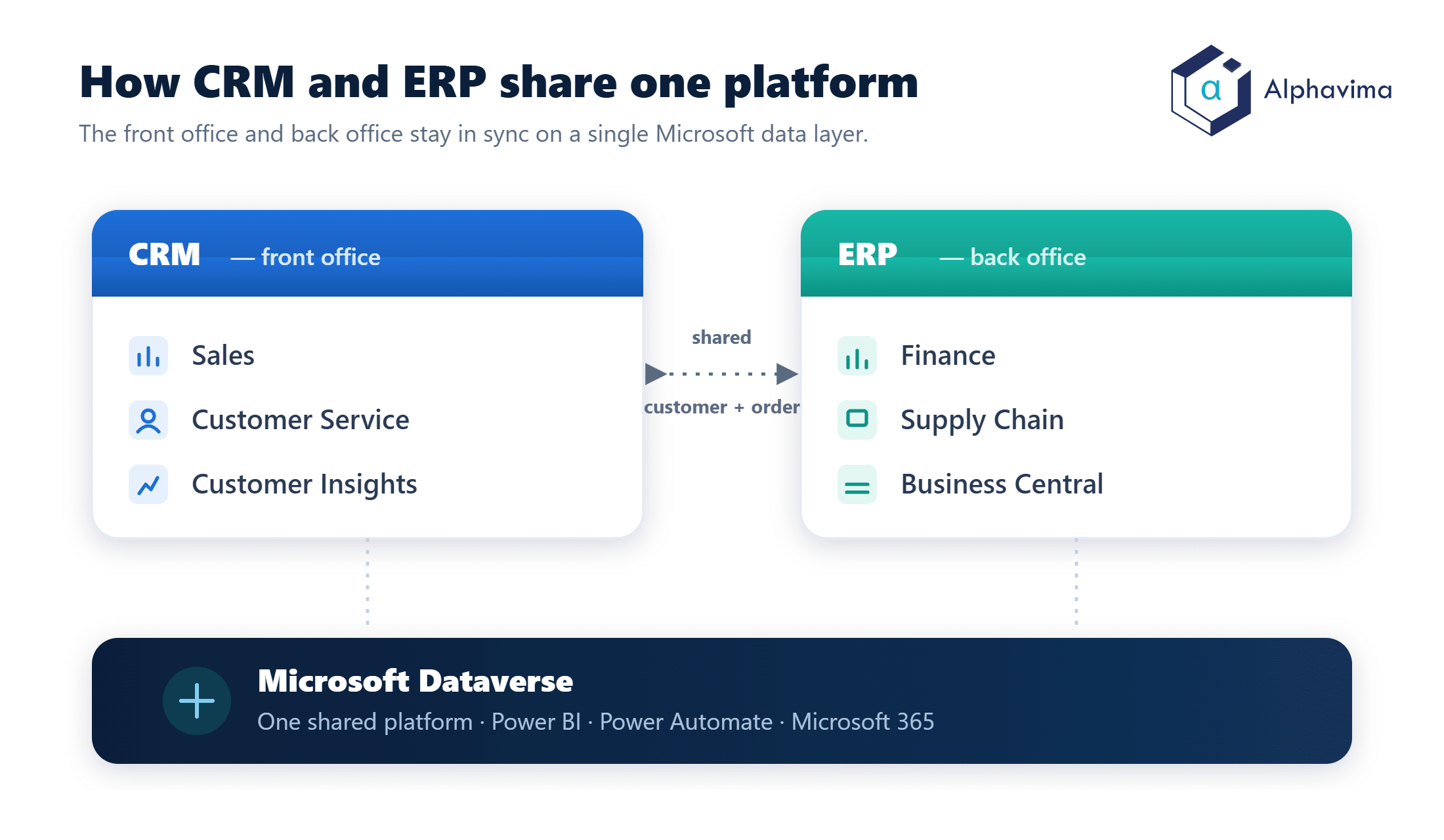
Customers and orders live in both worlds. A customer record exists in the CRM (for selling) and in the ERP (for invoicing and shipping). An order starts as a quote in the CRM and becomes a posted sales order and invoice in the ERP.
If those two customer records drift apart, you get the classic mess of duplicate accounts and mismatched addresses.
Both claim “360-degree customer view”. Modern CRM and ERP vendors each promise a single view of the customer. In reality, the CRM knows the relationship history and the ERP knows the financial history. The full picture only appears when they are connected.
Reporting spans both. A question as simple as “which customers are most profitable?” needs CRM data (who they are, how we won them) and ERP data (what they actually paid and what it cost to serve them). Neither system answers it alone.
This overlap is exactly why integration matters more than the category label. The goal is not to pick a winner, it is to make sure the front office and back office speak the same language.
Signs you need a CRM
You probably need a dedicated CRM if several of these ring true:
- Your pipeline lives in spreadsheets or in individual reps’ heads, and forecasts are guesswork.
- Leads slip through the cracks because nobody owns follow-up.
- Customer history is scattered across email inboxes, so anyone covering a colleague starts from zero.
- Marketing and sales argue about lead quality because nothing is tracked end to end.
- Service requests get lost, and you cannot report on response times.
If your business grows by winning and keeping customers, and the mechanics of that are currently manual, a CRM is usually the first investment that pays back.
Not sure whether you need CRM, ERP, or both?
Tell us your team size, your current stack, and your must-haves. We will map the right Microsoft Dynamics 365 setup across your front office and back office, then connect them so nothing falls through the gap.
Signs you need an ERP
You probably need a dedicated ERP if several of these ring true:
- Finance closes the month with a maze of spreadsheets and manual reconciliations.
- You cannot get an accurate, real-time view of inventory or cash.
- Your accounting tool (for example QuickBooks or an entry-level Sage product) has hit its ceiling as you have grown.
- Orders, stock, and invoicing live in disconnected tools that do not reconcile.
- You are adding warehouses, entities, or currencies and your current system cannot cope.
If your business runs on inventory, production, or complex finances, and those processes are straining, an ERP is the backbone you are missing. Our ERP consulting team most often gets called in at exactly this ceiling-hitting moment.
Do you need both? A simple decision guide
Not every organisation needs both systems on day one. Use this rough framework.
- Start with your bottleneck. If growth is limited by selling and service, lead with CRM. If it is limited by operations and finance, lead with ERP.
- Consider your business model. A pure services or advisory firm may run for years on a CRM plus simple accounting. A product, manufacturing, or distribution business feels ERP pain early.
- Watch for the second-system trigger. Once your CRM is generating orders faster than your back office can process them, or your ERP holds financial truth your sales team cannot see, it is time for the second system.
- Plan for integration from the start. Even if you buy one now, choose products that connect cleanly to the other later. Retrofitting integration between two unrelated platforms is where budgets go to die.
The honest answer for most growing mid-sized companies is: yes, eventually you need both. The question is sequencing and how well they will talk to each other.
Tip: If you already know both are coming, favour a single vendor family. Two products designed to share data cost far less to integrate than two best-of-breed systems stitched together with middleware.
How Dynamics 365 spans both CRM and ERP
This is where the Microsoft approach is genuinely useful, because it removes the “CRM camp versus ERP camp” divide.
Dynamics 365 is not one product, it is a family of business applications split across both sides:
- CRM (customer engagement): Dynamics 365 Sales, Customer Service, and Customer Insights handle pipeline, service, and marketing. These apps store their data in Microsoft Dataverse, Microsoft’s shared cloud data platform.
- ERP (finance and operations): Dynamics 365 Business Central covers finance, inventory, and operations for small and mid-sized firms, while Dynamics 365 Finance and Supply Chain Management serve larger enterprises.
The practical benefit is the shared platform underneath. The customer engagement apps run natively on Dataverse, and Business Central connects to that same Dataverse layer so that customers, contacts, and orders can flow between the two.
Microsoft documents a standard Business Central to Dynamics 365 Sales integration that syncs accounts, contacts, and sales documents, so a quote in the CRM can become a posted order in the ERP without re-keying.
Because both sides sit inside the same Microsoft ecosystem (Dataverse, Power BI, Power Automate, and Microsoft 365), you also get one security model, one reporting layer, and low-code extensibility through the Power Platform. That is the difference between two systems that merely coexist and two that actually cooperate.
Alphavima works across both halves of this picture, helping companies deploy the Dynamics 365 CRM apps and the Business Central or Finance ERP, then connecting them so the front office and back office share one version of the truth.
If you want to understand the cost side of the ERP first, our Business Central pricing guide is a good starting point.
Common mistakes buyers make
A few patterns come up again and again in system selections.
Buying an ERP to do a CRM’s job (or vice versa). ERPs have basic contact records and CRMs have basic quoting, but stretching one to cover the other’s core function usually ends in frustration.
Ignoring integration until it is too late. Teams pick a best-in-class CRM and a best-in-class ERP with no plan for how customer and order data will stay in sync, then spend more on middleware than they saved on software.
Underestimating change management. Both systems change how people work daily. The technology is rarely the hard part, adoption is.
Conclusion
CRM and ERP are not competitors, they are two halves of a well-run business. CRM helps you win and keep customers, ERP helps you deliver the work and account for it accurately. Where they overlap, at the customer and the order, is precisely where connecting them pays off, because that is where front-office promises meet back-office reality.
If you are unclear which you need first, start with the bottleneck that is holding back growth, then plan for the second system to follow. Choosing products that already share a data platform, as the Dynamics 365 family does, makes that second step far less painful than bolting together two unrelated tools.
Ready to move forward? Talk to the Alphavima team about whether CRM, ERP, or both fits your business. We can map your processes and recommend the right Dynamics 365 path, whether that starts with Dynamics 365 CRM solutions or ERP consulting.
Frequently asked questions
What is the main difference between CRM and ERP?
CRM manages your relationships with customers, so sales, marketing, and service, while ERP manages your internal operations, so finance, inventory, purchasing, and manufacturing. In short, CRM is the front office and ERP is the back office. Many businesses run both and connect them.
Can a CRM replace an ERP?
No. A CRM is not built to run your general ledger, manage inventory, or handle procurement and production. Some CRMs add light quoting or order features, but they are not a substitute for proper financial and operational management, which is what an ERP provides.
Do small businesses need both CRM and ERP?
Not always at first. A small services firm might run for years on a CRM plus simple accounting software, while a product or inventory business often needs ERP capabilities early. The trigger for the second system is usually growth that strains either your sales process or your back-office operations.
Is Dynamics 365 a CRM or an ERP?
Both. Dynamics 365 is a family of applications. The customer engagement apps (Sales, Customer Service, Customer Insights) are the CRM side, while Business Central and Finance and Supply Chain Management are the ERP side. They share the Microsoft Dataverse platform.
Should I buy CRM or ERP first?
Start with your biggest bottleneck. If growth is limited by winning and serving customers, lead with CRM. If it is limited by finance, inventory, or operations, lead with ERP. Whichever you choose first, pick products that can integrate with the other later.
How do CRM and ERP integrate?
Integration syncs shared data such as customers, contacts, and orders so both systems stay consistent. Within Dynamics 365, the customer engagement apps and Business Central connect through the shared Dataverse platform, so a quote created in the CRM can become a posted sales order in the ERP without re-entering data.
What data lives in a CRM versus an ERP?
A CRM holds relationship data: contacts, leads, opportunities, campaigns, and service interactions. An ERP holds transactional and operational data: invoices, ledger entries, stock levels, purchase orders, and production records. Customer and order records exist in both, which is why keeping them in sync matters.
Is it cheaper to use one vendor for both CRM and ERP?
Often, yes, when you account for integration. Two products from the same family are designed to share data and a common platform, which reduces the cost and risk of connecting them. Two best-of-breed systems from different vendors can work well but usually need extra middleware and maintenance.